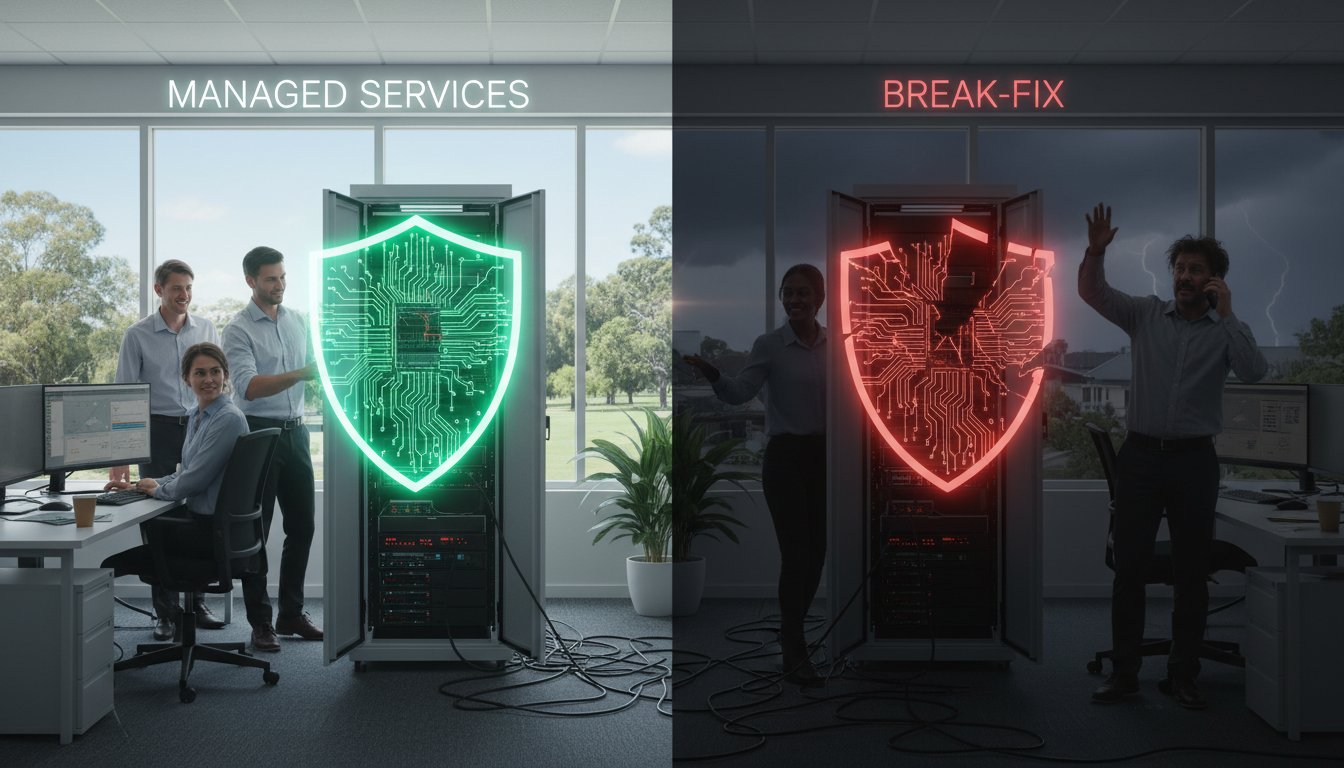
Would you rather pay a predictable monthly fee or risk a bill for $8,000 every single hour your systems are down? Many Toowoomba business owners assume that calling a technician only when something breaks saves money. However, in 2026, the debate of managed IT services vs break-fix has shifted from a simple repair choice to a high-stakes gamble with your company’s survival. With the average cost of IT downtime for small businesses now reaching $8,000 per hour, a reactive “quick fix” can quickly become a financial disaster.
We understand the stress of unpredictable IT expenses and the fear that a single cyber attack could compromise your hard work. You want to feel supported by a local expert who knows your name, not like a ticket number in a distant corporate queue. This article will help you discover the hidden costs of reactive IT and learn how to choose the right support model to protect your business’s continuity. We’ll break down current 2026 pricing, explore the $10.5 trillion global cybercrime threat, and show you how a proactive approach ensures you stay connected and protected.
Key Takeaways
- Contrast proactive maintenance with reactive repairs to understand how each approach affects your business continuity and daily operations.
- Uncover the hidden financial risks of the “pay-as-you-go” model, including the heavy cost of lost productivity and potential reputation damage.
- Evaluate the long-term budget impact of managed IT services vs break-fix support to find the most cost-effective path for your business growth.
- Determine the specific security requirements for your industry to ensure you aren’t leaving sensitive data vulnerable to sophisticated cyber threats.
- Learn how a dedicated local partner in Toowoomba provides the personalized accountability and “Active Protection” that a corporate ticketing system can’t match.
Defining the Models: Managed IT Services vs Break-Fix IT Support
Choosing how to handle your technology shouldn’t feel like a gamble. Since Chaim Lee established Aspire Computing in 1999, the way Toowoomba businesses use computers has changed completely. We’ve moved from simple word processing to total reliance on the cloud and digital security. When your system goes down, the first thing we tell you is “don’t panic.” We’re here to help. However, the decision between managed IT services vs break-fix is more than just a pricing choice. It’s about whether you want to be reactive or proactive in a year where cyber threats are at an all-time high.
To better understand the fundamental differences between these two models, watch this helpful video:
What is Break-Fix IT? (The Reactive Approach)
In the break-fix world, you only pay for the time a technician spends on your specific problem. While this sounds budget-friendly, it often leads to unpredictable IT expenses. You might go three months with zero costs, then suddenly face a massive bill because a server failed during your busiest season. Billing usually involves an hourly rate, which in 2026 averages between $125 and $350 according to industry reports. You also pay for travel fees and any hardware parts needed. There’s a subtle conflict of interest here. A break-fix provider only earns money when your technology fails. It’s a transactional relationship that’s best suited for very low-complexity setups, like a student’s laptop or a hobbyist’s home computer.
What are Managed IT Services? (The Proactive Approach)
Managed IT services turn that model on its head. We act as your outsourced IT department for a predictable monthly subscription. By 2026, roughly 89% of companies have adopted a digital-first strategy, making this proactive care essential. We use 24/7 monitoring to provide “Active Protection” for every device on your network. Our tagline, “Aspire to Protect and Connect,” means we’re constantly working in the background to install security patches and verify backups. If a problem starts to brew at 2 AM, we’re often fixing it before you open your doors at 8 AM. This partnership aligns our interests with yours. Managed services ensure that if your tech stays up, we’re doing our job correctly. It’s about continuity, not just repair.
- Predictable Costs: You pay one flat fee every month.
- Active Protection: We catch glitches before they cause downtime.
- Expert Support: You get access to a team that knows your business history.
The Hidden Costs of the Break-Fix Model in 2026
On the surface, the break-fix model feels like a logical way to save money. You only pay for what you use, and you avoid a monthly commitment. However, this “quick fix” approach often ignores the root cause of technology failures. By 2026, the financial reality of managed IT services vs break-fix support has become clear. A single hour of downtime for a small business now costs an average of $8,000. For micro SMBs with fewer than 25 employees, that figure can reach $1,670 per minute. These aren’t just numbers on a page; they represent lost invoices, frustrated staff, and a damaged reputation in our Toowoomba community.
Downtime is More Than Just an Idle Computer
Imagine a 5-person office where the network suddenly fails on a Tuesday afternoon. Work stops immediately. Your team is still on the clock, but their productivity has vanished. This downtime ripples through your entire customer service pipeline. If your client can’t reach you or you can’t access their files, they may look elsewhere. Even a simple hardware failure can be devastating. For example, a delay in Printer Supply and Repair in Toowoomba could prevent a local law firm from meeting a critical filing deadline. When you rely on a reactive model, you’re always waiting for the next crisis to happen.
The Cyber Security Risk Factor
Waiting for something to break is an open invitation for modern cyber criminals. In 2026, the global cost of cybercrime is projected to reach $10.5 trillion. Unpatched software and outdated security settings are the primary targets for AI-powered attacks. Following cybersecurity fundamentals for small businesses is no longer a luxury; it’s a requirement for survival. Proactive data backup and monitoring are far more cost-effective than the alternative. The average cost of a data breach has risen to $4.88 million, a price most small businesses simply can’t pay. If you’re concerned about your current setup, our Virus and Malware Removal Guide explains just how difficult it is to clean a system after an infection takes hold.
The psychological toll of reactive IT is also significant. Operating in “panic mode” drains your focus and creates a stressful environment for your employees. Moving toward proactive business operations allows you to regain your peace of mind. Instead of worrying about what might break tomorrow, you can focus on growing your business while we handle the background protection. We believe technology should support your goals, not stand in the way of them.
Managed IT vs Break-Fix: A Practical Comparison
Understanding the day-to-day experience of managed IT services vs break-fix support helps you see beyond the initial price tag. Think of the break-fix model like calling a plumber for a burst pipe. You only pay when there is a mess to clean up. Managed IT, however, is like having a specialist monitor your plumbing 24/7 to ensure a leak never starts. In 2026, managed IT pricing for small businesses typically ranges from $95 to $295 per user per month. This provides a clear contrast to break-fix hourly rates, which often climb as high as $350 per hour for emergency or after-hours support. When you choose a partnership, you aren’t just buying a repair; you’re buying a Service Level Agreement (SLA) that guarantees a response when you need it most.
Strategic growth is another area where these models diverge. During a technology crisis, break-fix users often buy whatever hardware is available on the shelf at the nearest big-box retailer. This leads to a “Frankenstein” network of mismatched devices that are difficult to secure. With a managed approach, we help you plan your hardware lifecycles. This ensures your team always has the tools they need to stay productive. Most importantly, you get personal accountability. Instead of a random technician who doesn’t know your history, you have a local expert like Chaim Lee who has supported the Toowoomba region since 1999. This trust is the foundation of a reliable business operation.
Financial Breakdown: Budgeting for IT
Managed IT acts as a form of business insurance for your digital assets. It eliminates “bill shock,” which is the sudden, massive invoice that follows a server failure or a major security incident. While break-fix invoices are unpredictable and often arrive at the worst possible time, a subscription model offers total budget clarity. A fixed monthly IT invoice simplifies tax time for Queensland businesses by providing a single, predictable expense line for your accountant to track throughout the year.
Maintenance vs. Repair
Proactive maintenance extends the life of your laptops, desktops, and printers. Regular Windows tune-ups and hardware health checks prevent the slow performance that frustrates employees. If your current systems are feeling sluggish, our PC Hardware Upgrades Guide can help you determine if a simple component swap is better than a full replacement. By catching small glitches early, we improve your operational efficiency by 45% to 65%, ensuring your technology remains an asset rather than a liability.
Choosing the Right Model for Your Business Size and Needs
Deciding between managed IT services vs break-fix isn’t about which model is “better” in a vacuum. It’s about which one fits your current scale and your tolerance for risk. If you’re a solo freelancer working from a home office in Toowoomba with minimal data storage needs, the break-fix approach might be perfectly fine. In this scenario, a few hours of downtime is a nuisance rather than a business-ending event. However, for any business that employs staff or handles sensitive client information, the math changes quickly. As of 2026, approximately 22.8% of the workforce is remote, adding layers of security complexity that a reactive “call-when-it-breaks” technician simply isn’t equipped to manage.
The “growth trigger” usually happens when you realize that your time is too valuable to spend troubleshooting printer drivers or software updates. If 89% of companies have already adopted a digital-first business strategy, your technology is no longer a tool; it’s the engine of your business. When that engine stalls, your revenue stops. Assessing your risk tolerance is the best way to find your path forward. Ask yourself how much data you can afford to lose and how long your team can sit idle before the financial damage becomes permanent.
Industry-Specific Considerations
Certain sectors in the Darling Downs region have no room for error. Healthcare providers and medical clinics cannot rely on a break-fix model because patient care and strict privacy compliance are at stake. Similarly, for retailers in Toowoomba or Brisbane, a failed Point of Sale (POS) system during a Saturday rush can result in thousands of dollars in lost sales. If your industry requires high uptime or handles confidential records, you need a proactive partner. You can find more details on how to align technology with your specific goals in our IT Support for Business Guide.
The 3-Question Decision Matrix
If you’re still unsure which model suits you, answer these three questions honestly:
- Can your business survive 24 hours without internet or computers? If the answer is no, the reactive model is too dangerous for you.
- Do you handle sensitive client data? This includes health records, credit card numbers, or private legal emails that require constant security patches.
- Is your current IT setup a source of constant stress? Technology should provide peace of mind, not a recurring headache.
If these questions make you realize your current setup is a gamble, it’s time to talk to the experts at Aspire Computing about a more stable solution.
How Aspire Computing Bridges the Gap for Toowoomba Businesses
Aspire Computing doesn’t force you into a rigid box. We understand that the choice between managed IT services vs break-fix is rarely all-or-nothing for a growing business. Since 1999, Chaim Lee has helped Toowoomba business owners navigate these decisions with a simple, reassuring philosophy: don’t panic. While large corporate providers might treat you like a ticket number in a distant queue, we offer the personal accountability of a local expert. We’ve spent over 25 years building a reputation for reliability across the Darling Downs. Our mission is to “Protect and Connect,” providing security-first IT support that fits your actual needs and your budget.
We bridge the gap by offering flexible solutions that grow with you. You might start with us for a one-off computer repair and later transition to full business continuity planning as your staff count increases. This hybrid approach allows you to scale your IT support alongside your revenue. You get the benefit of professional monitoring and “Active Protection” without the feeling of being locked into an impersonal contract. We believe that technology should be a quiet, dependable engine for your success, not a constant source of worry.
Local Support You Can Trust
Whether you need on-site help in Newtown, the Darling Downs, or the Lockyer Valley, we’re just a phone call away. There’s a distinct advantage to working with a local computer shop that understands the specific challenges of regional Queensland businesses. We know the local infrastructure and the community we serve. If you’re currently dealing with a slow laptop or a broken screen, our expertise in Computer Repairs Toowoomba provides the fast, local fixes you need to get back to work immediately.
Getting Started with a Free IT Health Check
Moving from a “broken” setup to an “optimised” one shouldn’t be stressful. We offer a free IT health check to assess your current technology without a high-pressure sales pitch. Our process is methodical and user-friendly. First, we identify your existing vulnerabilities and hardware bottlenecks. Second, we create a structured plan to improve your performance. Finally, we implement the protection needed to ensure your systems remain stable for the long term. This simple, three-step approach takes the guesswork out of your technology management.
You deserve an IT partner who is as committed to your business success as you are. If you’re ready to move away from the stress of unpredictable repairs and toward a more reliable future, talk to the experts at Aspire Computing today. We’ll help you find the perfect balance between protection, performance, and price.
Take Control of Your Business Technology
Technology should be the silent backbone of your business, not a constant source of anxiety. The choice between managed IT services vs break-fix ultimately determines whether you spend your time growing your company or chasing technical glitches. By moving toward a proactive model, you gain budget certainty and the “Active Protection” needed to survive a digital landscape where ransomware is predicted to strike every two seconds by 2031. It is about trading the stress of the unknown for the confidence of a stable, secure network.
You don’t have to navigate these complex decisions alone. Chaim Lee has provided expert IT support to the Toowoomba community since 1999, offering a level of personal accountability that large corporate firms cannot match. We focus on building long-term partnerships that keep your business running smoothly through any challenge. It is time to stop reacting to problems and start protecting your future. We look forward to helping you stay connected and protected.
Secure your business with a local IT partner—Contact Chaim at Aspire Computing
Frequently Asked Questions
Is managed IT support more expensive than break-fix in the long run?
The total cost of ownership is often lower with a proactive plan. While break-fix has no monthly fee, research from 2026 shows that managed services can reduce overall IT costs by 25% to 45%. You avoid the $8,000 per hour downtime costs that small businesses face during a major system failure. The debate of managed IT services vs break-fix usually comes down to whether you prefer a predictable budget or unpredictable emergency bills.
I only have three employees; am I too small for managed IT services?
No business is too small for professional protection. Even a micro-business with three employees handles sensitive data and relies on uptime to generate revenue. With the global cost of cybercrime reaching $10.5 trillion in 2026, small teams are frequent targets for automated attacks. Proactive care ensures your three-person office operates with the same security standards as a much larger corporation, giving you peace of mind.
What happens if I have an emergency and I’m not on a managed plan?
You can still call for help, but you will pay standard break-fix hourly rates. These rates in April 2026 typically range between $125 and $350 per hour. You also won’t have a guaranteed response time. During busy periods, managed clients receive priority. This means a reactive emergency could leave your business waiting while the costs of downtime continue to climb every minute.
Does managed IT include the cost of new hardware like laptops or printers?
Managed IT plans cover the labor and software required to maintain your network, not the physical hardware itself. You still own your laptops and printers. However, a managed service provider helps you plan your hardware lifecycle. This prevents you from being forced into an emergency purchase when a device fails unexpectedly. We help you choose quality equipment to ensure long-term continuity for your business.
Can I switch from break-fix to managed services if my business grows?
Yes, many businesses make this transition as their technology needs become more complex. You might start with occasional repairs and move to a managed plan when you reach a growth trigger, such as hiring more staff or handling sensitive legal or health records. We make this process methodical and user-friendly. We start with a health check to ensure your current systems are ready for proactive monitoring.
How does proactive monitoring actually prevent my computer from breaking?
Proactive monitoring uses software to track the health of your hardware and software in real time. We can see if a hard drive is starting to show mechanical errors or if a security patch failed to install. By catching these small glitches early, we prevent them from turning into a total system crash. This active protection is why managed services improve operational efficiency by up to 65% for most businesses.
What is the typical response time for a local Toowoomba IT provider?
Response times depend on your specific service agreement. Managed IT clients benefit from guaranteed Service Level Agreements (SLAs) that often promise a response within one to four hours for critical issues. For break-fix customers, the response depends on the current workload of the technician. Being local to Toowoomba means we can provide faster on-site help than a national provider with no staff in the Darling Downs.
Do you provide on-site support for home offices in the Lockyer Valley?
Yes, we provide on-site support for home offices across the Lockyer Valley and the wider Darling Downs region. Whether you are in Gatton or a smaller suburb, we can come to you to resolve hardware or network issues. We understand the unique challenges of regional business owners. Our goal is to ensure you stay connected and protected, regardless of whether you work in a corporate office or a home-based environment.

B.App.Sc., Cert. Computer Engineering PC Service and Repair
As the owner of Aspire Computing founded in 1999, Chaim Lee has been working for over 20 years as the Leading Computer Technician.
He has a life long interest in electronics, computing, science and technology. He has completed studies and gained qualifications in Applied Science, Computer Repair and Service, Microsoft Installation and Maintenance, Technical Writing, Workplace Training, and Technical Sales Training.