
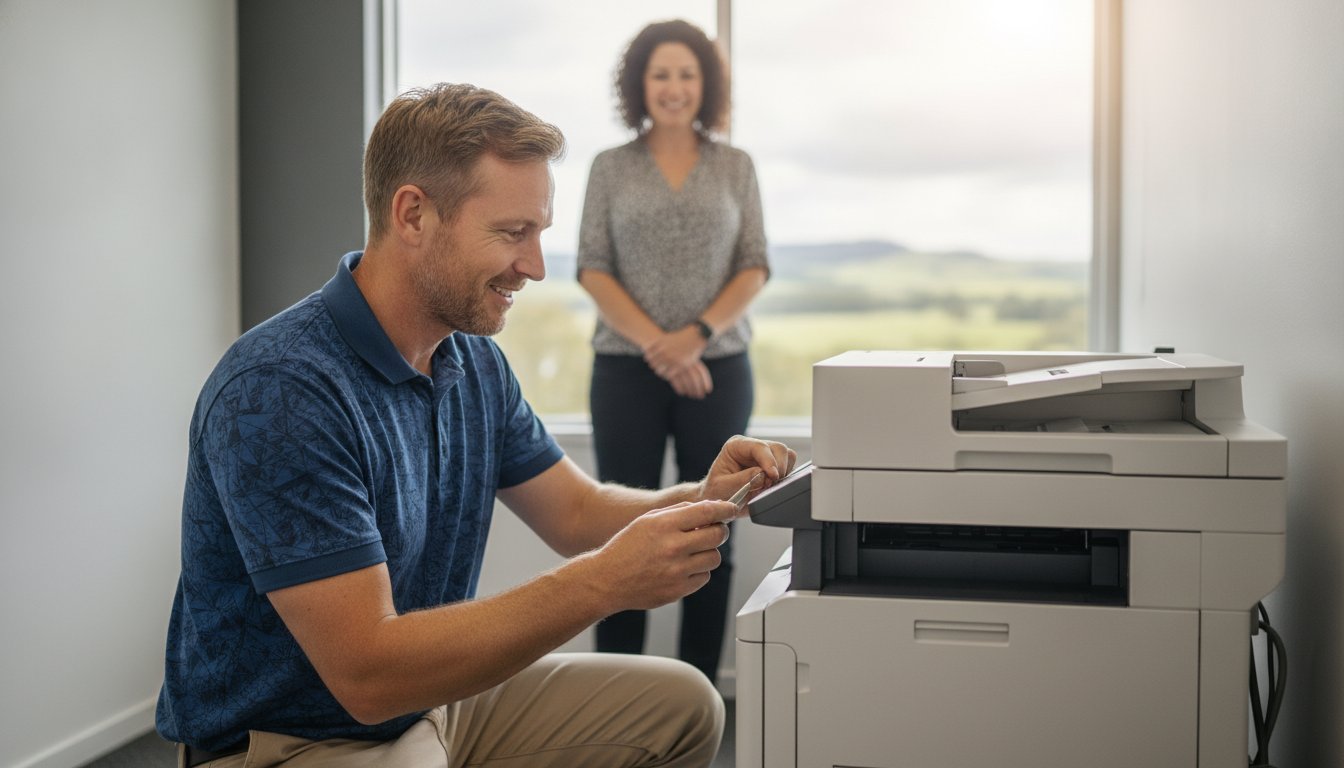
Imagine it’s 4:30 PM on a Friday in your Toowoomba home office and your printer suddenly jams right as you’re trying to post a critical contract. It’s a stressful scenario that usually happens because a “bargain” retail unit simply wasn’t built for your actual workload. You likely already feel that the high cost of replacement ink and the lack of local support for home-office setups make these machines more trouble than they’re worth. When you’re choosing an office printer, you need a tool that offers reliability rather than constant errors.
I’ve spent over 25 years helping small businesses across the Darling Downs and Lockyer Valley avoid these technical headaches. This guide will show you how to eliminate printer downtime and select the most cost-effective hardware for your specific needs in 2026. We’ll explore the latest high-yield models from brands like Canon and Epson, discuss when it is smarter to repair your current machine than buy new, and look at how to use the permanent A$20,000 instant asset write-off to secure a local expert-backed setup that actually lowers your total cost of ownership.
Key Takeaways
- Learn why local technical support in Toowoomba is the key to minimizing downtime for home offices and small businesses.
- Discover how to calculate the true Total Cost of Ownership (TCO) so you can decide if a professional repair is more financially sound than a replacement.
- Master the process of choosing an office printer by comparing modern laser technology against high-yield continuous ink tank systems.
- Get practical, step-by-step instructions for clearing stubborn paper jams and fixing common “Printer Offline” errors on Windows 11 and 12.
- Understand the value of working with a local, owner-operated expert who has served the Darling Downs region since 1999.
The State of Printer Supply and Repair in Toowoomba
The printing landscape in the Darling Downs has changed dramatically over the last few decades. In 1999, most business printing happened in large, centralized offices. Today, Toowoomba’s professional community relies on a decentralized network of home offices and small storefronts. This shift means that modern printer technology must be more resilient and easier to maintain than ever before. Choosing an office printer in 2026 isn’t just about the fastest pages-per-minute; it’s about finding a machine that can handle our local conditions and your specific workload.
Toowoomba’s climate plays a bigger role in printer longevity than most people realize. Our region’s distinct seasons and humidity levels can cause paper to curl or ink to clog if a machine sits idle during a cold snap. If you’re based in a suburb like Rangeville or Middle Ridge, you need hardware that is suited for the Garden City’s unique environment. Local expertise helps you avoid the common pitfalls of cheap retail units that aren’t designed for Australian conditions.
Why Local Toowoomba Support Matters
National call centres don’t help when you’re in a rush. They don’t understand that you need to get a report out before a meeting in the CBD. Local support from an owner-operated business like Aspire Computing provides a level of personal accountability you won’t find at a big-box retailer. We offer rapid on-site response for Newtown and Wilsonton. Dealing directly with an expert who knows your specific setup builds trust. It ensures your office stays operational. By choosing local repair, you’re also keeping your investment within the Queensland economy.
Printer Challenges in 2026
The technical environment for small businesses has become more complex. While wireless printing is convenient, the rollout of Wi-Fi 7 and updated NBN hardware in Toowoomba has created new connectivity hurdles. Many older printers struggle to stay “online” with modern routers. These issues often lead to frustration during urgent deadlines.
Other challenges include:
- Disposable Hardware: Many retail-grade printers are built to be replaced rather than fixed. This creates electronic waste and higher long-term costs.
- Security Risks: Networked printers are often the weakest link in a home office’s cyber security.
- Connectivity Drops: High-speed NBN connections can sometimes cause sync issues with legacy printer drivers.
Choosing an office printer that balances these technical demands with local repairability is the most sustainable way to manage your business technology.
Repair vs. Replace: Making the Smart Financial Choice
Deciding whether to fix a faulty machine or buy a new one is a common dilemma for home office owners. You shouldn’t just look at the initial sticker price. To make a truly informed decision, you must calculate the Total Cost of Ownership (TCO). This includes the cost of ink, toner, and maintenance over the next 24 months. Often, a cheap A$90 printer from a retail chain becomes an “ink trap” that costs hundreds more in cartridges than a professional-grade model would have cost upfront.
A good rule of thumb is the 50% rule. If a repair quote exceeds half the price of a comparable new unit, or if the machine is more than four years old, an upgrade is usually the better financial path. However, high-quality hardware from brands like Canon or Epson is often worth saving, especially if the issue is a simple mechanical part rather than a total engine failure. We often find that a well-maintained business printer outlasts three or four “budget” alternatives.
The Repair Checklist
Before you give up on your current device, determine if the problem is mechanical or digital. Software glitches and firmware errors can often be resolved through professional maintenance without needing expensive hardware components. If your printer has served you well for years, a simple service call can extend its life by another two or three seasons. I specialise in sourcing genuine parts for major brands, ensuring your machine continues to run at peak efficiency for your Darling Downs business.
When to Invest in New Hardware
Technological milestones often dictate when it’s time to move on. If your old printer doesn’t support modern security protocols or struggles with the latest NBN router connectivity, it might be leaving your home network vulnerable. Modern 2026 models also offer significant energy efficiency gains and lower noise levels, which are essential for a quiet home office environment.
When choosing an office printer, consider the rise of high-yield tank systems. These units have a higher initial cost but offer a much lower cost per page than traditional cartridges. For more details on these variables, check out this comprehensive guide to buying your next device. If you aren’t sure which path is right for your budget, a quick chat with a local technician can help clarify your options and prevent a costly mistake.
Choosing the Right Printer Supply for Your Office
When you are choosing an office printer in 2026, the options can feel overwhelming. Many local business owners in the Darling Downs region are moving away from traditional cartridge-based machines toward high-yield continuous ink tank systems. These systems allow you to print thousands of pages before needing a refill. It is a major shift that directly addresses the pain of high running costs. At Aspire Computing, I often recommend Canon, Samsung, and Epson because these brands have proven their reliability in our local environment since I started this business in 1999.
You don’t need a massive multifunction device if you only print a few invoices a week. Matching the hardware specs to your actual monthly page volume is the best way to save money. If you are still on the fence about whether your current machine is worth keeping, consider this guide on Repair or Replace: Making the Smart Financial Choice. It helps clarify the long-term value of your hardware before you commit to a new purchase.
Inkjet for Creatives and Home Offices
Modern inkjet technology has advanced significantly. Brands like Epson and Canon now offer exceptional photo quality and colour accuracy that laser printers can’t match. This makes them ideal for marketing agencies or home-based designers in Toowoomba. A common worry is that print heads will dry up if the machine isn’t used daily. In 2026, modern maintenance cycles automatically prevent this issue, provided the printer stays connected to power. While the cost of high-quality colour ink is a factor, the versatility of these machines for diverse media types is a clear advantage for creative professionals.
Laser Printers for High-Volume Business
If your daily routine involves printing legal contracts or medical documentation, laser technology remains the gold standard. Samsung and HP laser printers are built for high-speed output and crisp text clarity. They handle high-volume workloads without breaking a sweat. The cost-per-page for black and white printing is significantly lower than inkjet alternatives. This makes them the most economical choice for administrative offices in Wilsonton or the CBD. These machines are designed for longevity. With professional technical support, a quality laser printer can serve your business for many years without a drop in performance.

Common Printer Problems and Professional Fixes
Technical failures are frustrating, especially when they occur during urgent deadlines. Most issues aren’t terminal; they just need a methodical approach to resolve. When you’re choosing an office printer, having a local expert to call can save you hours of troubleshooting. Whether it’s a software glitch or a mechanical jam, understanding the basics can help you stay productive.
Windows 11 and 12 often show a “Printer Offline” status when the communication link breaks. First, ensure the printer and PC are on the same Wi-Fi band. If the connection is correct, go to your ‘Services’ app, find ‘Print Spooler’, right-click, and select ‘Restart’. This simple step fixes a high percentage of software-based connectivity issues without needing a hardware replacement.
Paper jams require a gentle touch. Never yank a stuck page, as this can tear the paper and leave fragments that damage internal rollers. Always pull the paper slowly in the direction it normally travels. If the jam is deep inside the machine, it’s safer to call for an on-site visit to avoid breaking delicate sensors. If you see streaks or faded lines, run the built-in “Clean Print Heads” utility. Persistent streaks on a laser printer usually indicate a failing drum or fuser unit.
Network and Connectivity Troubleshooting
Stable office connectivity depends on more than just the hardware. Your wireless print server might need a periodic reset to clear its cache and restore a steady signal. If you’ve recently upgraded your NBN hardware in the Darling Downs, your computer repairs Toowoomba should include a full network configuration check. Firmware updates are also vital. Manufacturers release these to patch security vulnerabilities and fix persistent software bugs that cause driver conflicts in networked environments.
Mechanical Maintenance Tips
Preventative care is the best way to avoid a total breakdown. Dust and paper lint accumulate on rollers over time, leading to slippage and feed errors. Wiping these rollers with a lint-free cloth can prevent many common issues. When you’re choosing an office printer, durability matters, but even the best machines fail if you use low-quality “generic” third-party toners. These often leak, causing permanent damage to internal optics. Booking a professional printer service ensures your machine stays reliable for the long term. If you’re struggling with a stubborn error, you can contact me for expert on-site assistance to get your office back on track.
Aspire Computing: Your Toowoomba Printer Partner
Since 1999, Aspire Computing has served as a cornerstone of technical support in the Toowoomba community. I believe that dealing directly with the business owner makes a significant difference in the quality of service you receive. You aren’t talking to a distant call centre or a rotating cast of junior technicians. Instead, you’re talking to a local expert who understands the unique needs of home offices across the Darling Downs. Whether you’re based in Newtown, Middle Ridge, or out in the Lockyer Valley, I provide on-site support that simplifies your technical life.
Choosing an office printer is a decision that impacts your daily productivity for years. You shouldn’t have to guess which model will withstand the test of time. My long history in both hardware supply and technical repair allows me to recommend machines that actually work. I focus on authorised supply for Canon, Samsung, and Epson because these brands offer the operational stability our local clients require. When you are choosing an office printer, I help you navigate the specs to find a match for your actual page volume and budget.
Comprehensive IT Integration
A printer is only one part of your professional ecosystem. If your home network is unstable or your PC is sluggish, your printer performance will suffer. I take a methodical approach by looking at your whole system to ensure every component works in harmony. This often involves combining printer maintenance with virus and malware removal to ensure your networked devices remain secure. I also provide customised hardware supply tailored to your specific business growth plans. This holistic view prevents you from overspending on “enterprise” features that don’t fit a small office budget.
Getting Started with Aspire
Getting started is easy. You can book an on-site diagnostic or a hardware consultation to discuss your needs. I am committed to transparent pricing and honest advice; this ensures you never pay for repairs that aren’t financially viable. My goal is to reduce the stress of technical failures through rapid turnaround and a streamlined engagement process. I pride myself on being approachable and professional, aiming to resolve your issues with minimal disruption to your workday.
Do you feel like your technology is holding you back? You can contact me today for a free initial IT health check in Toowoomba. This service helps identify potential bottlenecks or security risks before they turn into expensive emergencies. From hardware upgrades to remote support, I am here to be your long-term technology partner. Let’s ensure your office hardware is an asset to your business rather than a source of frustration.
Secure Your Office Productivity for the Future
Managing a home office or small business in the Darling Downs shouldn’t involve fighting with hardware every time you have a deadline. By focusing on the total cost of ownership and selecting reliable brands like Canon, Samsung, or Epson, you can turn your printer from a source of stress into a dependable tool. Local support is the most effective way to eliminate downtime. It ensures you have an expert who understands your specific setup and the unique climate conditions of Toowoomba.
Selecting the right hardware is only the first step. Proper maintenance and professional integration with your network are what keep your business running smoothly over the long term. When you’re choosing an office printer, remember that expert advice upfront saves you from the “ink trap” of cheap retail units later. Since 1999, I’ve helped local professionals maintain their competitive edge through stable technology.
If you’re ready to upgrade your hardware or need a stubborn error fixed, I’m here to help. You don’t have to navigate technical failures alone. Book Your Printer Repair or Consultation in Toowoomba Today.
Frequently Asked Questions
Is it worth repairing a printer that is more than three years old?
Whether a repair is viable depends on the original build quality and the current Total Cost of Ownership. High-quality business machines from brands like Canon or Epson are often designed for longevity and are well worth a professional service. However, if you are choosing an office printer to replace a budget retail unit, you’ll find that modern high-yield tank systems often provide better long-term value than fixing an entry-level device.
How much does a typical printer repair cost in Toowoomba?
Costs for printer repairs vary significantly based on the specific fault and the parts required. A simple mechanical service or a software-based driver fix is generally much more affordable than replacing major components like fusers or logic boards. I focus on providing transparent advice so you can decide if the investment is financially sound. If the repair cost approaches the price of a new model, I’ll always recommend the most cost-effective path.
Can Aspire Computing fix my printer on-site at my home office?
Yes, I provide on-site technical support for home offices and small businesses throughout the Toowoomba region. This includes suburbs like Newtown, Wilsonton, and Middle Ridge, as well as the wider Darling Downs and Lockyer Valley. On-site service is often the most efficient way to resolve issues because it allows me to test the printer within your actual network environment. This ensures that connectivity problems are fixed alongside any mechanical hardware faults.
Which printer brand has the lowest ongoing ink costs in 2026?
In 2026, the lowest ongoing costs are found in continuous ink tank systems from Epson and Canon. These “tank” models replace traditional small cartridges with large, refillable reservoirs. While the initial hardware purchase is higher, the cost per page is drastically lower. When choosing an office printer for high-volume work, these systems often pay for themselves within the first year by eliminating the need for frequent and expensive ink cartridge replacements.
Why does my printer keep disconnecting from the Wi-Fi?
Frequent disconnections are often caused by modern Wi-Fi 7 routers or updated NBN hardware that legacy printer drivers struggle to recognize. Signal interference from other devices in your Toowoomba home office can also cause the connection to drop. Resolving this typically requires a combination of firmware updates and static IP configuration. I can help stabilize your office connectivity to ensure your printer remains “online” and ready to work whenever you have an urgent deadline.
Do you supply genuine toner for Canon and Epson printers?
Yes, Aspire Computing is an authorized supplier of genuine hardware and consumables for Canon, Samsung, and Epson. Using genuine toner and ink is vital for maintaining your printer’s internal optics and preventing leaks that can cause permanent damage. While third-party alternatives might seem cheaper initially, they often lead to poor print quality and mechanical failures. I ensure that your business has access to the high-quality supplies needed for reliable, professional-grade printing results.
Can you help set up a new printer for a small business network?
Setting up a new device involves more than just plugging it in. I provide comprehensive installation services that include network configuration, driver installation, and security hardening. This ensures your new printer is fully integrated with your existing PCs and laptops. By having a professional handle the setup, you avoid common pitfalls like “printer not found” errors and ensure that every user on your small business network can print reliably and securely.
What is the fastest way to get a printer repaired in the Darling Downs?
The fastest solution is to contact a local, owner-operated expert who can provide rapid on-site assistance. Aspire Computing has served the Toowoomba region since 1999, offering a level of personal accountability that national call centres cannot match. By dealing directly with me, you bypass the delays of corporate ticketing systems. I prioritize local businesses to ensure that your technical failures are resolved quickly, allowing you to get back to work with minimal disruption.

B.App.Sc., Cert. Computer Engineering PC Service and Repair
As the owner of Aspire Computing founded in 1999, Chaim Lee has been working for over 20 years as the Leading Computer Technician.
He has a life long interest in electronics, computing, science and technology. He has completed studies and gained qualifications in Applied Science, Computer Repair and Service, Microsoft Installation and Maintenance, Technical Writing, Workplace Training, and Technical Sales Training.
