
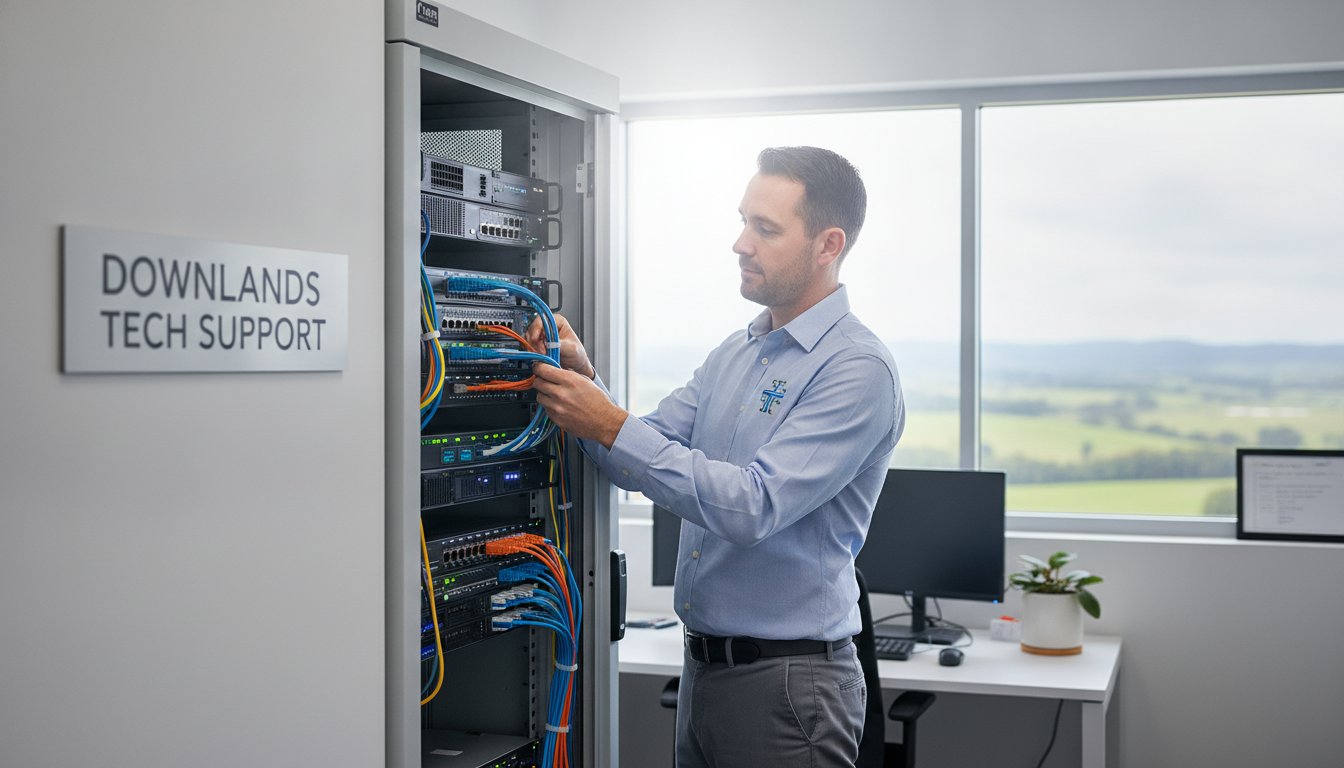
Did you know that Australian businesses relying solely on reactive support experience 30% more downtime than those with proactive plans? For a Toowoomba business owner, that downtime isn’t just a technical glitch; it’s lost revenue, frustrated staff, and a stressful day spent wondering if your data is safe. You shouldn’t have to worry about hidden costs or whether your IT provider even knows your name. Finding reliable small business server support Toowoomba can feel like a gamble when you’re faced with enterprise-scale contracts that don’t fit your local needs.
You deserve a system that works as hard as you do. This guide will show you how to keep your operations running smoothly with expert, local server support tailored for our community. We’ll explore how proactive maintenance prevents data loss, keeps your server performance fast, and why having a local expert who understands your business is the most reliable way to gain peace of mind.
Key Takeaways
- Understand why proactive maintenance is essential for your server, acting as the central “brain” that prevents network congestion and slow file access.
- Learn how to protect your hardware from Toowoomba’s specific environmental challenges, such as dust and heat, which can lead to unexpected physical failures.
- Discover the practical differences between rapid remote troubleshooting and the times when an on-site visit to your office is necessary for complex repairs.
- Access a simple 5-step maintenance checklist to verify your data backups and extend the operational life of your equipment.
- See the benefits of choosing small business server support Toowoomba from a local expert with over two decades of experience in the region.
What is Small Business Server Support and Why Does Your Toowoomba Office Need It?
Server support is the proactive maintenance of what we call the “brain” of your business network. For small firms, this central hub manages everything from your emails to your secure client files. When you invest in professional small business server support Toowoomba, you aren’t just paying for someone to fix things when they break. You’re ensuring that the heart of your digital operation stays healthy, secure, and efficient. It’s about moving away from reactive “break-fix” habits and toward a stable environment where your technology just works.
To better understand how this technology supports your growth, watch this helpful video:
Many local owners start with a simple setup, but as your team grows to three, five, or ten people, a standard desktop computer isn’t enough to handle the workload. This is where “Right-Sized IT” comes in. Instead of expensive enterprise contracts designed for hundreds of users, you need support that fits your specific employee count and budget. This approach ensures you have the power you need without paying for features your small business will never use.
The Role of a Server in a Small Business Environment
In a local office, a server acts as the anchor for team collaboration. It provides centralised file storage, which means your staff don’t have to email documents back and forth; they simply access the latest version from a shared drive. Historically, many businesses relied on Windows Small Business Server to manage these tasks. Today, whether your server is a physical box in the corner or a hybrid cloud setup, it hosts essential software like your accounting packages, CRMs, or medical databases. It also manages user permissions across the Darling Downs, ensuring only the right people can see sensitive financial or customer data. It’s the primary tool for keeping your local network secure from the inside out.
Why “DIY” IT is a Risk for Your Business Continuity
Attempting to manage your own server might seem like a way to save money, but it often leads to significant hidden costs. When a server goes offline, your entire team stops working. Professional small business server support Toowoomba prevents the common mistakes home-office owners make, such as misconfigured firewalls or failing to verify that backups actually work. Business continuity is simply the ability of your firm to keep operating without interruption during a technical failure. Without a local expert to monitor your system, a small hardware glitch can turn into days of lost revenue. Relying on a “tech-savvy” staff member might work for a printer jam, but server health requires a dedicated, experienced eye to ensure your data remains protected and accessible.
Common Server Problems Facing Local Businesses in 2026
In 2026, the technical demands on local firms have increased significantly. Many owners notice their systems slowing down, often mistaking it for a poor internet connection. However, slow file access is frequently a primary symptom of server congestion. As your business grows, a server running on a standard consumer operating system like Windows 10 or 11 simply can’t keep up with multiple simultaneous requests. Moving to a dedicated server operating system is a critical step for stability. Getting the right small business server support Toowoomba helps you identify these bottlenecks before they cause a total system freeze.
Toowoomba’s unique environment plays a larger role in IT health than many realise. The combination of seasonal heat and local dust can be devastating for hardware tucked away in a cupboard. When cooling fans clog, internal temperatures soar, leading to component failure. Following Server maintenance best practices is essential to prevent these environmental shutdowns and keep your hardware running efficiently for years.
Hardware Failure and Environmental Factors
Physical hardware remains the most vulnerable part of your network. Hard drive crashes are a constant threat, and when they happen, you need reliable data recovery services to retrieve critical business information. Beyond just wear and tear, the Darling Downs is known for unpredictable weather. Power surges during summer storms can fry sensitive server components instantly. A high-quality Uninterruptible Power Supply (UPS) isn’t just an accessory; it’s a shield for your business continuity. We often see servers squeezed into non-ventilated spaces, which significantly shortens the life of the machine. If your server sounds like a jet engine, it’s likely struggling with heat and needs immediate attention.
Software Corruption and Security Vulnerabilities
Software issues are just as disruptive as hardware failures. Outdated server software acts as an open door for virus and malware attacks. Cyber security is now a top priority for Toowoomba businesses because local firms are increasingly targeted by automated ransomware. Configuration errors are another common culprit. These mistakes lead to the dreaded “Blue Screen” crashes or intermittent network dropouts that frustrate your staff. Professional small business server support Toowoomba ensures your software environment is clean, updated, and correctly configured. If you’re worried about your current setup, a quick security check-up can reveal hidden vulnerabilities before they’re exploited.
Remote vs. On-Site Support: Which is Best for Toowoomba Businesses?
Choosing between remote and on-site assistance shouldn’t be a difficult decision. For most local firms, the most effective strategy is a hybrid approach. This model combines the immediate response of digital tools with the physical expertise required for hardware maintenance. When you look for small business server support Toowoomba, you need a partner who can jump onto a screen share within minutes but is also ready to drive to your office in Newtown or Wilsonton when things get serious. This balance ensures your business stays operational without unnecessary delays or travel costs.
Security is a common concern for owners when allowing remote access to their “business brain.” We use encrypted, professional-grade session protocols that require your explicit permission before any connection is made. You can see exactly what is happening on your screen in real time. This transparency builds trust and ensures that your sensitive data remains protected while we apply critical security patches or software updates. It’s a professional way to handle routine maintenance without disrupting your office layout or staff schedules.
When Remote Support Wins
Remote support is the gold standard for speed and efficiency. It’s perfect for tasks that don’t involve physical parts, such as password resets, software updates, or minor network troubleshooting. If your office is located in the more remote parts of the Darling Downs, remote access provides an immediate response that saves you from waiting for a technician to travel. This method also helps keep your IT budget predictable. By resolving software-related server tweaks digitally, you avoid call-out fees for simple fixes. It’s the most practical way to maintain a fast, stable server performance on a daily basis.
The Necessity of On-Site Technician Visits
There are times when a physical presence is the only way to solve a problem. If your server hardware fails or you’re planning a full server migration, a technician must be on the ground. We provide on-site visits across Toowoomba and the Lockyer Valley for initial setups and complex Hardware Upgrades. Physical visits are also essential when your internet connectivity drops out, preventing any remote access from working. Having a local expert who knows your physical office layout means we can quickly locate cables, check ventilation in your server cupboard, and ensure your UPS systems are plugged in correctly. This local knowledge prevents the “anonymous corporate” feel and ensures we know your business by name, not just by a ticket number.
A 5-Step Maintenance Checklist to Extend Your Server’s Life
Many IT providers suggest replacing your server at the first sign of trouble. However, with the right small business server support Toowoomba, you can significantly extend the life of your current equipment. Proactive care is always more affordable than emergency replacements. By following a structured maintenance routine, you keep your system stable and avoid the stress of sudden hardware failure. It’s about getting the most out of your investment while maintaining peak performance.
- Step 1: Daily backup verification. Don’t just assume your software is working. Check your logs every morning to ensure your “Data Backup” plan successfully completed without errors.
- Step 2: Physical inspection. As we discussed earlier, dust and heat are silent killers. Monthly checks for unusual fan noise or blocked vents can prevent a total meltdown.
- Step 3: Security patch management. Keeping Windows Server updated protects you against the latest vulnerabilities. We handle these updates after hours to ensure no disruption to your workflow.
- Step 4: Storage monitoring. When hard drives reach 80% capacity, performance drops. Regularly clearing logs or expanding storage prevents your network from slowing to a crawl.
- Step 5: Regular hardware upgrades. Adding more RAM or replacing aging power supplies prevents obsolescence and keeps your machine running like new.
Prioritising Data Protection and Backups
We recommend the 3-2-1 backup rule for every local office. This means keeping three copies of your data, stored on two different types of media, with at least one copy kept off-site. Off-site storage is your ultimate safety net for local disaster recovery if your physical office is compromised. While a backup is simply a copy of your files, “Business Continuity” is the comprehensive plan that ensures your entire operation can resume within hours of a failure. It’s the difference between merely having your files and having a working office.
Performance Tuning for Faster Office Networks
If your team complains about “lag,” the issue might be a bottleneck in your server’s RAM or CPU usage. Upgrading to Solid State Drives (SSDs) is often the most cost-effective way to breathe new life into older hardware. We also look at your network switches to ensure the server can “talk” to every PC at maximum speed. If your infrastructure is outdated, even a fast server will feel slow. If you want to ensure your system is running at its peak, contact us for a professional server performance audit today.
Aspire Computing: Your Local Partner for Toowoomba Server Support
Since 1999, Aspire Computing has provided small business server support Toowoomba firms can rely on for consistent, stable performance. Our mission centers on a dual focus of security and functional utility. We don’t believe in the distant, corporate approach where your business is just another ticket in a queue. Instead, we offer a personal touch where you deal directly with an experienced expert who knows your history and your office layout. Whether your business is in Toowoomba, Newtown, the wider Darling Downs, or the Lockyer Valley, we’re here to ensure your technology remains a tool for success rather than a source of stress.
Our long-standing history in the region has built a foundation of trustworthiness and personal accountability. We’ve seen how technology has evolved over the decades, and we’ve helped local owners navigate every change. From simple file sharing to complex hybrid cloud setups, our goal is to provide dependable, experienced assistance that is both competent and convenient. We take pride in being a local, community-focused business that understands the specific needs of our neighbors.
Why Choose a Local Toowoomba Expert Over a National Firm?
Choosing a local partner means you get significantly faster response times when a physical hardware emergency strikes. If your server goes offline on a busy Monday morning, you can’t afford to wait for a technician to travel from a capital city. There are no corporate gatekeepers at Aspire Computing. You speak directly to the person responsible for your system’s health. We have deep knowledge of the local Toowoomba business community and the environmental factors, such as our local climate, that affect your hardware. This local context allows us to provide more practical and effective solutions than a generic national provider ever could.
Getting Started: Your IT Health Check
If you’re unsure about the current state of your network, we encourage a no-obligation consultation to assess your server’s health. We’ll look at your specific small business server support Toowoomba requirements, checking your data backup reliability and hardware stability. Our engagement process is simple and methodical. Whether you need an on-site visit to your office or a quick remote session to resolve a software glitch, we guide you through a structured, step-by-step process. We focus on a rapid turnaround so your operations stay smooth and uninterrupted. Contact Aspire Computing for expert server support in Toowoomba today.
Take Control of Your Business Technology Today
Your server is the heart of your operation. Keeping it healthy requires more than just reactive fixes. By implementing a consistent maintenance checklist and understanding the balance between remote and on-site assistance, you can prevent the downtime that stalls growth. Protecting your hardware from local environmental factors and staying ahead of cyber threats ensures your team stays productive and your data remains safe.
Aspire Computing has been serving the Toowoomba community since 1999. We provide specialised small business server support Toowoomba that focuses on the unique needs of home offices and local firms. Whether you need expert on-site help or rapid remote assistance, we’re here to help you maintain a secure and functional network. Don’t wait for a technical failure to disrupt your day. Book Your Local Server Support Consultation Now and get the peace of mind you deserve.
Your business success depends on reliable technology, and we’re ready to partner with you to make that a reality.
Frequently Asked Questions
How much does small business server support cost in Toowoomba?
Industry rates for ad-hoc IT support in Australia typically range from $150 to $250 per hour, with on-site callout fees in the Toowoomba area often starting around $132. Your total investment depends on whether you require a one-off hardware repair or an ongoing maintenance plan. We focus on providing right-sized support that fits your specific employee count without the burden of expensive enterprise contracts.
Can you fix my server remotely if the internet is down?
No, a remote session requires an active internet connection to establish a link between our system and your server. If your internet is completely down, we’ll need to perform an on-site visit to your Toowoomba or Lockyer Valley location. This allows us to physically troubleshoot your modem, router, or the server’s network interface card to restore your connectivity.
Do I need to buy a new server or can my old one be upgraded?
Many servers can be revitalised with strategic hardware upgrades like additional RAM or fast Solid State Drives. If your hardware is less than five years old, an upgrade is often a cost-effective way to boost performance. We’ll assess your current machine’s health to see if it can safely support modern software or if a replacement is better for long-term reliability.
How often should a small business server be serviced?
A professional health check should occur at least every quarter to manage security patches and physical cleaning. However, your data backup systems should be verified daily through automated logs. Consistent small business server support Toowoomba ensures that minor issues, like a failing cooling fan or a nearly full hard drive, are caught before they cause a total system crash.
What is the difference between a server and a high-end PC?
Servers are engineered for 24/7 operation and use specialised components like redundant power supplies and error-correcting memory. While a high-end PC is built for a single user, a server manages the workload for your entire team simultaneously. It also runs a dedicated server operating system designed for centralised security, user permissions, and complex data management.
Do you support servers for home-based businesses in the Darling Downs?
Yes, we provide the same level of professional care for home-based businesses as we do for traditional offices. Many local owners in the Darling Downs run their operations from home and need secure file sharing and reliable backups. We offer flexible on-site and remote assistance to ensure your home office technology is just as stable and secure as a corporate network.
What happens if my server hard drive fails and I have no backup?
If your drive fails without a backup, you’ll need specialised data recovery services to attempt to retrieve your lost files. This is a technical process that involves searching for readable data on the damaged hardware. To avoid this high-stress scenario, we recommend implementing a 3-2-1 backup strategy immediately to ensure your business continuity is never at risk.
Is Windows Server support included in your computer repair services?
Yes, managing Windows Server environments is a key part of our service offering. We handle everything from the initial network configuration to ongoing security updates and performance tuning. Our experience since 1999 means we understand the technical nuances of server software, ensuring it integrates perfectly with your other PC and laptop repair needs.

B.App.Sc., Cert. Computer Engineering PC Service and Repair
As the owner of Aspire Computing founded in 1999, Chaim Lee has been working for over 20 years as the Leading Computer Technician.
He has a life long interest in electronics, computing, science and technology. He has completed studies and gained qualifications in Applied Science, Computer Repair and Service, Microsoft Installation and Maintenance, Technical Writing, Workplace Training, and Technical Sales Training.
