
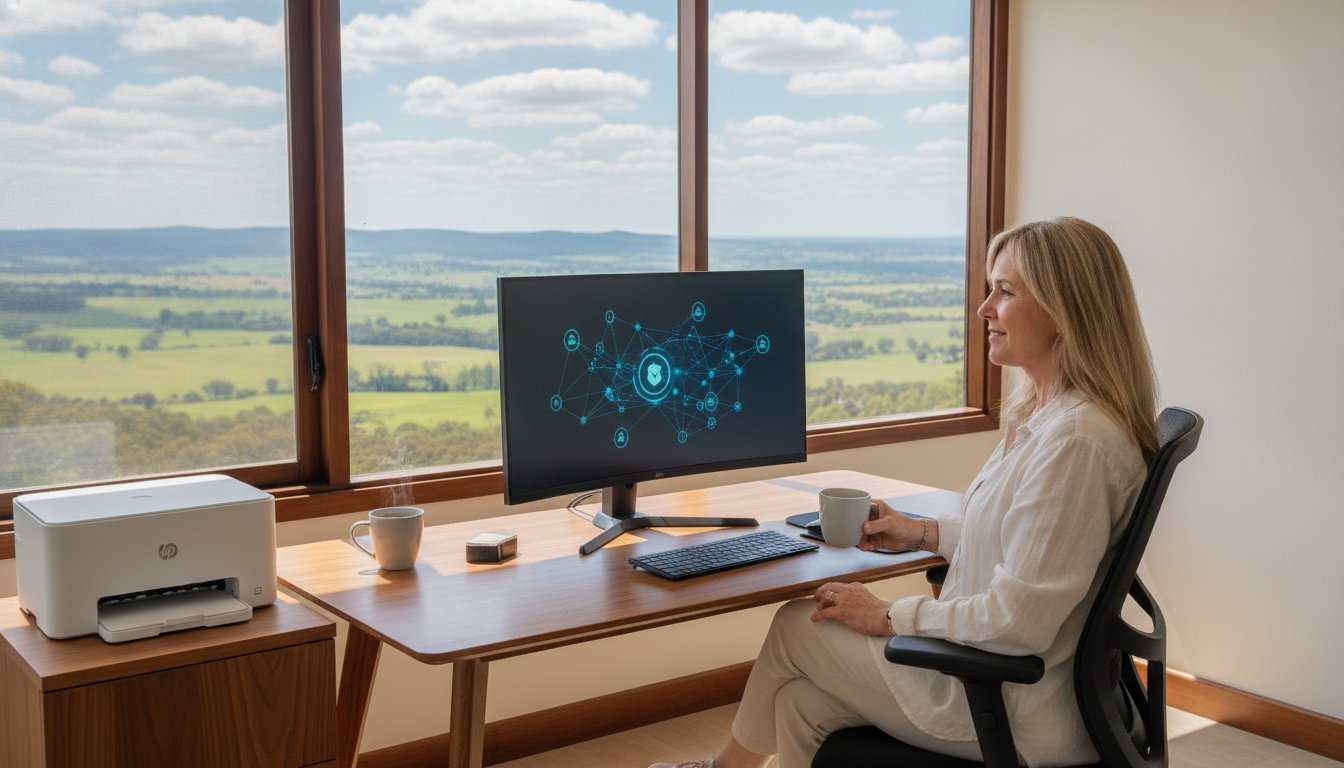
Your computer freezes mid-quote, your printer refuses to cooperate, and a client is waiting. Sound familiar? If you’re running a home office in Toowoomba, tech problems don’t just cause frustration; they cost you real time and real money. And the thought of waiting days for a technician to show up, only to be handed a hefty call-out fee for a simple fix, makes the whole situation worse.
You’re right to feel that way. Downtime is genuinely damaging, and the anxiety around letting a stranger access your computer remotely is completely understandable. These are real concerns, and they deserve a straight answer.
This article explains exactly how remote IT support works, why it’s become a trusted solution for home office IT support Toowoomba residents and small business owners rely on, and how a local expert with over 25 years of experience can resolve most software, connectivity, and printer issues quickly and securely, without anyone needing to set foot in your office. You’ll learn what a legitimate remote session looks like, what problems it can realistically solve, and how to get help from someone who is genuinely accountable to your local community.
Key Takeaways
- Remote IT support lets a technician securely fix your computer over the internet, eliminating the wait and cost of a traditional call-out visit.
- Every remote session requires your explicit permission to begin, and you can end it at any time – your privacy and control are protected throughout.
- Reliable home office IT support Toowoomba residents can access remotely covers a wide range of issues, including slow PC performance, email faults, and printer problems, though some hardware failures still require an on-site visit.
- Aspire Computing is a locally based, owner-operated business in Newtown, QLD, with over 25 years of experience – not a distant call centre.
- Understanding which problems are remote-friendly and which require a physical visit can save you time and money the next time something goes wrong.
What is Remote IT Support and How Does it Save You Time?
Think of remote IT support as a digital house call for your modern home office. Instead of waiting for a technician to drive across town, a qualified expert connects to your computer securely over the internet, diagnoses the problem, and fixes it while you watch. The technology behind this is called remote desktop software, and it’s been a trusted method for IT professionals for decades.
For anyone relying on home office IT support in Toowoomba, this matters enormously. Traditional on-site visits mean scheduling, waiting, and paying a call-out fee before a technician even looks at your machine. Remote support collapses that process. A session can begin within minutes of you making contact, which means less downtime and a faster return to productive work.
To give you a clearer picture of what the support process actually looks like in practice, watch this short video:
Because no travel is involved, remote sessions typically cost less than a standard on-site call-out. You’re paying for the technician’s expertise and time, not their fuel and travel costs. For small business owners and remote workers in the Darling Downs, that difference adds up quickly.
How the Remote Connection Process Works
The process is straightforward and designed with your security in mind. Here’s what happens:
- Step 1: You download a small, secure connection module from the technician’s website. It’s a lightweight file that takes under a minute to run.
- Step 2: The software generates a unique, one-time access code. You share that code with your technician verbally or via message. Without it, nobody can connect.
- Step 3: Once connected, you watch everything happen on your screen in real time. The technician can only access what’s needed to fix the problem, and you can end the session instantly at any point.
There’s no mystery to it. You stay in control throughout.
The Immediate Benefits for Home Offices
The practical advantages go beyond just speed. For Darling Downs residents working from home, remote support means:
- No disruption to your workspace. Your desk stays exactly as it is.
- No need to unplug cables, box up your PC, or tidy up for a visitor.
- Instant answers to how-to questions, software configuration issues, and recurring glitches that slow your day down.
Aspire Computing has been helping home office users and small businesses across the region since 1999. With over 25 years of hands-on experience, the team understands that your time is your livelihood. Getting you back online quickly isn’t just a service promise; it’s the entire point.
Is Remote IT Support Safe? Understanding Security and Privacy
Security is the first question most people ask, and it’s the right one. Letting someone access your computer remotely sounds risky on the surface. In practice, a properly conducted remote session is designed from the ground up to keep you in control, and understanding exactly how it works removes most of the uncertainty.
Every session runs on a one-time access code. That code expires the moment the session ends. Your technician cannot reconnect later, browse your files after hours, or return without your knowledge. There’s no persistent backdoor, no saved login, and no lingering access. Each new session requires a fresh code that you generate and share.
The connection itself is protected by end-to-end encryption, meaning the data passing between your computer and the technician’s screen cannot be intercepted or read by a third party. This is the same class of encryption used in online banking. Your files, documents, and activity stay private throughout.
Perhaps the most reassuring aspect is transparency. You watch everything in real time. Every click, every window opened, every change made appears on your screen as it happens. You retain complete master control and can end the session instantly by closing the software or simply disconnecting your internet. No warning required.
Vetting Your Remote Support Provider
Not all remote support offers are legitimate. Unsolicited calls claiming to be from Microsoft, the NBN, or Telstra are almost always scams. A genuine provider will never contact you out of the blue and ask to connect to your machine. Always initiate contact yourself, and always verify who you’re dealing with before sharing any access code.
Choosing a local provider matters more than most people realise. A business with a physical address in Toowoomba is accountable to the same community you live in. Aspire Computing has operated from Newtown, QLD since 1999, which means there’s a real person, a real location, and a 25-year track record behind every session. That’s a very different proposition from an anonymous call centre.
Privacy Protocols for Sensitive Data
Before any session begins, it’s good practice to close browser tabs showing banking details, personal records, or confidential documents. A trustworthy technician will tell you the same thing. For anyone seeking home office IT support Toowoomba residents can rely on, this kind of transparency should be a baseline expectation, not a bonus.
During a data recovery assessment, file transfers are handled with care and discussed openly before anything moves. Aspire Computing operates under Australian privacy standards, meaning your information is handled with the same legal obligations that apply to any local business. Local accountability isn’t just a reassuring phrase; it’s a genuine layer of protection that national and offshore providers simply can’t match.
If you’d like to understand exactly what a session with Aspire Computing involves before committing, reach out and ask. A straightforward conversation is always the right starting point.
Remote vs. On-Site Tech Support: Which Do You Need?
Remote support is the first responder of IT: fast, targeted, and effective for the majority of problems that actually interrupt your working day. But it’s not the right tool for every job. Knowing the difference before you pick up the phone saves you time, avoids unnecessary call-out fees, and gets your home office back on track faster.
The core distinction comes down to one question: does the problem exist in software, or in the physical machine? Most of what goes wrong in a home office falls into the software category. Email clients misbehaving, Windows running sluggishly, a printer driver refusing to install correctly – these are all problems a skilled technician can diagnose and resolve without ever touching your hardware.
When Remote Support Wins
Remote sessions handle a surprisingly wide range of everyday faults. If your internet connection is still working, the following issues are strong candidates for a remote fix:
- Virus and malware removal where the infection hasn’t disabled your internet access or locked you out of Windows entirely.
- Installing or configuring printer drivers and getting your printer communicating correctly with your PC or laptop.
- Windows optimisation – clearing startup bloat, adjusting settings, and tuning performance so your machine runs the way it should.
- Email configuration, including setting up accounts in Outlook, fixing send or receive errors, and resolving sync issues with Microsoft 365.
- Software faults such as applications crashing, update failures, or licensing errors that prevent programs from opening.
For anyone relying on home office IT support Toowoomba professionals and remote workers depend on daily, these are the exact problems that cause the most disruption and respond best to a fast remote session.
When You Need a Toowoomba Call-Out
Some problems genuinely require hands-on attention. No remote session can replace a physical inspection when:
- Your computer won’t power on, or you’re facing a persistent Blue Screen of Death that prevents Windows from loading.
- Physical damage has occurred, such as a liquid spill, a cracked laptop screen, or a failed hard drive that makes the machine unresponsive.
- Network hardware needs installation, including routers, switches, or structured cabling setups in a regional Queensland home or small business.
The Hybrid Approach: Smarter Diagnostics
Starting with a remote diagnostic is almost always the right move, even when an on-site visit turns out to be necessary. A quick remote assessment can identify exactly what’s wrong before anyone travels anywhere, which means the technician arrives prepared, the repair takes less time, and you’re not paying for exploratory work done in your living room. It’s a practical approach that respects your time and your budget.
If you’re unsure which type of support your situation calls for, contact Aspire Computing and describe what’s happening. A straightforward conversation will clarify the fastest and most cost-effective path forward.
7 Common Computer Problems We Solve via Remote Assistance
Most home office disruptions come down to a surprisingly short list of recurring faults. The good news is that the majority of them don’t require anyone to visit your desk. Here’s what reliable home office IT support Toowoomba residents actually need resolved, and how each one gets handled remotely.
- Slow PC performance: A sluggish machine is rarely a hardware problem. More often, it’s startup bloat, fragmented storage, or background processes quietly draining your system. A remote Windows tune-up clears the clutter, adjusts performance settings, and gets your machine responding the way it should, without shipping it anywhere.
- Email configuration faults: Outlook refusing to sync, Gmail accounts dropping connections, or Microsoft 365 business mail throwing authentication errors are among the most common complaints from home office workers. These are resolved remotely by adjusting server settings, reconfiguring account profiles, and clearing corrupted data files.
- Software installation and setup: Getting Microsoft 365 installed correctly, activating licences, and configuring applications for your specific workflow takes expertise. Remote setup ensures everything is configured properly from the start, rather than leaving you troubleshooting half-installed programs later.
- Virus and malware removal: Malicious code that’s slowing your machine, redirecting your browser, or quietly harvesting data can be identified and removed during a remote session, provided your internet connection is still functional. Acting quickly matters; the longer malware runs, the more damage it can cause.
Printer and Peripheral Troubleshooting
A printer showing as “offline” is one of the most frustrating faults in any home office, and it’s almost always a software issue. Remote support covers driver resets, print queue clearing, and reconfiguring the connection between your printer and PC. Scanners, external hard drives, and other peripherals that aren’t communicating correctly with your computer are equally straightforward to diagnose and fix without a call-out.
Cybersecurity and Data Protection
Security isn’t a one-time task. Setting up automated cloud backups ensures your files are protected before something goes wrong, not after. Remotely, a technician can install and configure reputable antivirus software, review your current security settings, and conduct a Security Health Check to identify vulnerabilities you might not know exist. For Darling Downs home office workers handling client data, that layer of protection isn’t optional.
If any of these problems sound familiar, contact Aspire Computing to describe what’s happening and get a clear path to fixing it.
Why Toowoomba Businesses Choose Aspire Computing for Remote Help
There’s a meaningful difference between calling a national IT hotline and speaking directly to the person who will actually fix your computer. With Aspire Computing, those are the same conversation. Based in Newtown, QLD and owner-operated since 1999, this is a business where accountability is built into the structure. You’re not routed through a ticketing system or handed between departments. You speak to the expert, and that expert gets to work.
That personal approach matters more than it might seem. When something goes wrong with your home office setup, the last thing you need is to repeat your problem three times to three different people. With Aspire Computing, the technician who takes your call understands the issue from the start and stays with it until it’s resolved.
For anyone seeking reliable home office IT support Toowoomba residents can actually depend on, the 25-plus years of hands-on regional experience is a genuine differentiator. National providers know IT. Aspire Computing knows IT and knows Toowoomba, which means faster, more practical solutions for the specific challenges that come with working and running a business in regional Queensland.
One more thing worth knowing: if a problem turns out to be beyond what remote access can resolve, there’s no dead end. Aspire Computing books an on-site visit directly, with no need to start the process again from scratch. The remote diagnostic already done means the technician arrives prepared, not guessing.
Supporting the Darling Downs Community
From Highfields to Cambooya, small businesses across the Darling Downs face the same connectivity pressures: NBN reliability varies by location, and when your internet drops, your productivity does too. Aspire Computing understands the local infrastructure landscape and provides tailored support that reflects the real conditions regional Queensland users deal with every day. Helping neighbours stay secure and productive isn’t a marketing line; it’s what 25 years of local service actually looks like.
How to Get Started Today
Getting help is straightforward. Here’s the process:
- Step 1: Contact Aspire Computing via phone or through the website and describe what’s happening with your system.
- Step 2: Receive a secure link to begin your remote support session, with a one-time access code you control.
- Step 3: Watch the problem get resolved in real time by Toowoomba’s trusted home office IT support Toowoomba specialist, with no waiting rooms and no call-out fees for issues that can be fixed remotely.
Fast, local, and genuinely personal. That’s the Aspire Computing difference.
Your Home Office Deserves Reliable Tech Support, Not More Waiting
Tech problems don’t schedule themselves around your workday, and downtime in a home office hits harder than most people expect. What this article has shown is that fast, secure help is genuinely available without the wait, the call-out fee, or the disruption of having someone show up at your door.
The key points are simple: remote sessions are secure and fully transparent, most everyday software and printer faults can be resolved without an on-site visit, and choosing a local provider means you’re dealing with someone who’s accountable to your community, not a distant call centre.
For home office IT support Toowoomba residents can actually rely on, Aspire Computing has been the local choice since 1999. Owner-operated, based in Newtown, and specialised in home office and small business support, it’s the kind of service where you speak to the expert who fixes the problem.
Don’t let a tech issue derail your day. Book your remote IT support session with Aspire Computing and get back to work faster than you’d expect.
Frequently Asked Questions About Home Office IT Support in Toowoomba
How much does remote IT support cost compared to an on-site visit?
Remote support is generally more affordable than an on-site visit because there are no travel costs involved. You’re paying for the technician’s time and expertise, not fuel or a call-out fee. The exact cost of any session depends on the nature and complexity of your problem. Contact Aspire Computing directly to discuss your specific situation before committing to anything.
What happens if my internet connection drops during a remote session?
If your connection drops mid-session, the remote access software disconnects automatically and immediately. Nothing continues on your computer without an active connection. Once your internet is restored, you simply contact the technician and start a fresh session with a new one-time access code. No changes can be made to your machine while you’re offline.
Do I need to stay at my computer while the technician is working?
You don’t have to sit and watch the entire session, but staying nearby is a good idea. The technician may need to ask you a question, request your password to install software, or confirm a decision before proceeding. Being available means the session runs faster and nothing gets held up waiting for your input. Most sessions are resolved quickly enough that stepping away isn’t necessary.
Can you fix hardware problems, like a broken fan, via remote support?
No. Physical hardware faults require hands-on attention that remote access simply can’t provide. A broken fan, failed hard drive, cracked screen, or any component that needs replacing must be assessed and repaired in person. A remote diagnostic can still help in these situations by identifying the fault clearly before an on-site visit is booked, so the technician arrives prepared rather than guessing.
Is remote IT support safe for my banking and personal files?
Yes, provided you’re working with a verified, legitimate provider. Every session uses end-to-end encryption and a one-time access code that expires when the session ends. As a practical precaution, close any browser tabs showing banking details or sensitive accounts before the session begins. A trustworthy technician will suggest exactly this. For home office IT support Toowoomba residents can trust, choosing a locally based, owner-operated business adds a genuine layer of accountability that anonymous providers can’t offer.
What software do I need to install for remote assistance?
You don’t need to install anything permanently. At the start of a session, you’ll download a small, lightweight connection module that runs temporarily on your computer. It generates a unique one-time access code you share with the technician. Once the session ends, the software can be removed entirely. There’s no persistent application left on your machine and no ongoing access granted.
Can you provide remote help for Apple Macs as well as Windows PCs?
Aspire Computing’s core specialisation is Windows PC and laptop support, which covers the vast majority of home office setups in the Darling Downs region. If you’re running a Mac and you’re unsure whether your issue falls within the scope of available support, the straightforward approach is to get in touch and describe the problem. A quick conversation will confirm whether remote assistance is the right path forward.
How long does a typical remote IT support session take?
Session length varies depending on the problem. Straightforward tasks like clearing a print queue, reconfiguring an email account, or removing a minor software fault can take as little as 15 to 30 minutes. More involved work, such as virus removal or a full Windows optimisation, may take longer. Because there’s no travel time on either end, even a longer remote session is usually resolved faster than waiting for a traditional on-site visit to be scheduled and completed.

B.App.Sc., Cert. Computer Engineering PC Service and Repair
As the owner of Aspire Computing founded in 1999, Chaim Lee has been working for over 20 years as the Leading Computer Technician.
He has a life long interest in electronics, computing, science and technology. He has completed studies and gained qualifications in Applied Science, Computer Repair and Service, Microsoft Installation and Maintenance, Technical Writing, Workplace Training, and Technical Sales Training.
