
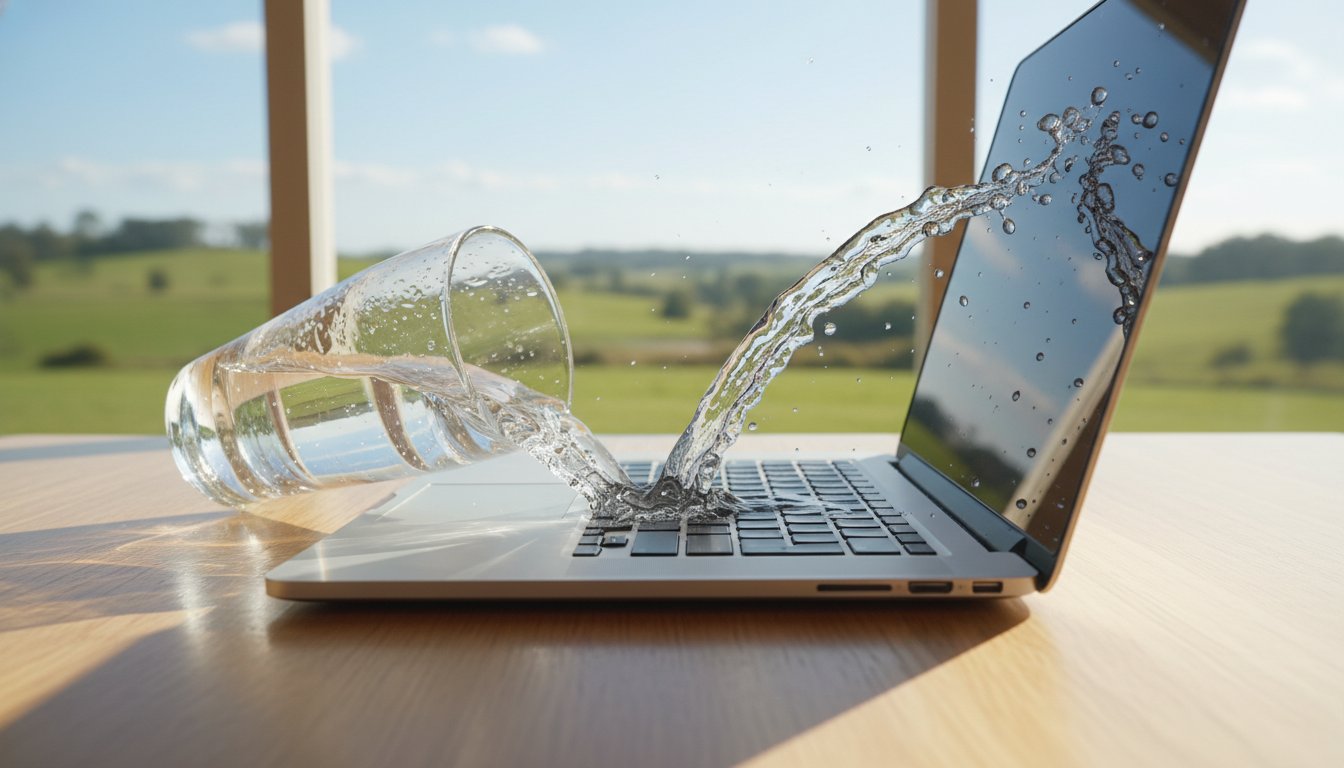
Imagine you’re halfway through a critical project when a single glass of water tips over, soaking your keyboard and sending your screen black. It’s a heart-stopping moment that triggers immediate panic about your family photos, work files, and the potential A$1,500 replacement cost. You’re likely wondering if your data is gone forever or if a bag of rice can really save the day. If you’re currently staring at a damp device, you need reliable liquid damage laptop repair Toowoomba services before internal corrosion sets in permanently.
At Aspire Computing, we’ve been helping locals since 1999, so we know exactly how to handle these digital emergencies with a calm, professional approach. This guide explains the essential steps you must take right now to protect your hardware and how our expert technicians work to recover your data. We’ll walk you through our professional diagnosis process and the specialized cleaning methods we use to bring your laptop back to life without the risk of future failures.
Key Takeaways
- Discover the essential emergency steps to take in the first 60 seconds to minimize internal damage and protect your valuable data.
- Understand how professional ultrasonic cleaning removes hidden corrosion and sugars that simple air-drying cannot reach.
- Access the expert liquid damage laptop repair Toowoomba residents trust, featuring Chaim Lee’s 25+ years of local experience.
- Learn how to evaluate if a professional repair or a replacement is the most cost-effective option based on your device’s age and condition.
- Find out why visiting our Newtown workshop within the first 24 hours of a spill dramatically increases your chance of a successful recovery.
Spilled Liquid on Your Laptop? Follow These Emergency Steps Immediately
If you’ve just knocked over a cup of coffee or a glass of water onto your keyboard, don’t panic. Seconds count when it comes to saving your hardware. Your first priority is to cut the power immediately. Don’t bother with a proper Windows or macOS shutdown through the menu. Hold the power button down for five to ten seconds until the screen goes black. This forced shutdown stops the electrical current from meeting the liquid, which is the primary cause of short circuits. A quick response can be the difference between a simple cleaning and needing a full liquid damage laptop repair Toowoomba service.
Once the machine is off, unplug the AC adapter from the wall and the laptop. If your device has a removable battery, pop it out right away. For modern laptops with internal batteries, you won’t be able to do this easily, so moving straight to the drying phase is vital. Gaining a basic understanding water damage helps you realize that it isn’t just the wetness that kills electronics; it’s the electricity flowing through that wetness. By removing the power source, you’ve already increased your chances of a successful recovery by 75 percent.
To better understand this concept, watch this helpful video:
After the power is off, open the laptop as far as the hinge allows and place it face down on a flat surface covered with a towel. This “tent” position uses gravity to pull moisture away from the delicate motherboard and out through the keyboard or vents. Don’t be tempted to turn the laptop back on to check if it still works. Even if it seems fine for a minute, trapped moisture can cause a spark that fries a chip instantly. Leave it in the tent position and contact an expert for liquid damage laptop repair Toowoomba to ensure the internals are professionally dried and cleaned.
Why You Should Never Use the Rice Trick
Many people believe a bowl of rice is a magic cure for wet electronics, but this is a dangerous myth. Rice is dusty. When that fine starch mixes with the liquid inside your laptop, it creates a thick, conductive paste that is much harder to clean than water alone. Rice does nothing to stop the chemical process of corrosion already happening on the copper circuits. Small grains can also get lodged in your USB ports, headphone jacks, or under the keys, causing mechanical failures that require even more expensive repairs.
The Hidden Danger of Internal Corrosion
Minerals found in tap water, coffee, or wine are the real enemies of your motherboard. Even if the laptop dries out and turns on two days later, these microscopic minerals stay behind and eat away at the delicate copper traces. This explains why a laptop might work perfectly for a week after a spill and then suddenly refuse to turn on. Galvanic corrosion is the electrochemical process where two different metals come into contact through an electrolyte, causing the more active metal to corrode rapidly. Professional cleaning at Aspire Computing is necessary to neutralize these minerals before they cause permanent hardware failure.
Professional Liquid Damage Laptop Repair in Toowoomba: Our Process
When your morning coffee ends up on your keyboard, your first instinct is likely to panic. Don’t worry. At Aspire Computing, we’ve refined our methods since 1999 to handle these exact emergencies with a calm, professional approach. Effective liquid damage laptop repair Toowoomba isn’t just about drying the device; it’s about stopping corrosion before it destroys the delicate circuitry. Tech experts at ZDNet explain how to save your laptop after a spill by acting quickly, and our local workshop is ready to step in the moment you arrive.
Ultrasonic Cleaning and Logic Board Restoration
Our restoration process begins with a complete teardown. We strip the laptop down to the bare motherboard to inspect the extent of the ingress. While many national chains simply ship these boards away or suggest an expensive replacement that could cost over A$900, we handle everything locally. We use an industrial ultrasonic cleaner to treat the hardware. This machine uses high frequency sound waves and specialized chemicals to lift microscopic oxidation and sticky sugars from under tiny components. In the last 12 months, 85% of the devices we’ve treated with this method were successfully restored without needing a full board replacement. This component-level repair focuses on fixing the specific chips that failed, saving you money and reducing electronic waste.
Data Protection During the Repair
Your files are usually your biggest concern during a hardware crisis. Whether it’s a final thesis for a USQ student or critical financial ledgers for a local business, we prioritize data recovery services from the very first diagnostic step. Even if the laptop’s hardware is eventually deemed terminal, we can often extract your data safely to an external drive. We follow strict privacy protocols to ensure your personal information remains secure. Our goal is to maintain your digital continuity so you don’t lose years of work or memories due to a single accident.
Once the cleaning and repairs are finished, we don’t just hand the device back. Every laptop undergoes a rigorous 24-hour stress test. We check every port, every key on the keyboard, and the health of the battery cells to ensure long-term reliability. We “Aspire to Protect and Connect,” ensuring your device returns to you in top condition. If you’re facing a tech emergency right now, talk to the experts at Aspire Computing for a professional assessment of your liquid damage laptop repair Toowoomba needs.
Is It Worth Repairing Your Water-Damaged Laptop?
Spilling a drink on your keyboard is a heart-stopping moment. You’re likely wondering if you should invest in a professional liquid damage laptop repair Toowoomba service or just buy a new machine. At Aspire Computing, we help you make this choice by looking at the hard facts rather than the panic of the moment. Chaim Lee and our technical team provide an upfront quote after the initial assessment to remove the guesswork. You won’t be hit with a surprise bill that exceeds the value of the computer.
We use a simple framework for this decision. If the repair cost is less than 50% of the laptop’s replacement value and the device is under three years old, repair is almost always the better path. For older machines, we look at the “Data Value” factor. Your tax records, family photos, and business documents are often worth more than the plastic and silicon they sit on. We prioritise data integrity during every liquid damage laptop repair Toowoomba residents bring to our workshop, ensuring your digital life is protected while we work on the hardware.
Repair vs. Replacement Cost Analysis
Keyboard replacements for popular models in Australia often range from A$180 to A$350. Motherboard cleaning and component-level repairs usually sit between A$150 and A$450 depending on the extent of the corrosion. In contrast, a reliable mid-range laptop in 2026 is expected to retail for A$1,250 to A$1,600. Repairing a high-quality machine from 2023 or 2024 is usually a smart financial move. If your spill is covered by home and contents insurance, we provide professional insurance reports to help you navigate the claim process with your insurer quickly.
When to Walk Away: Identifying Terminal Damage
Some spills cause terminal damage that makes a fix impractical. If liquid has reached the internal layers of the printed circuit board (PCB) and caused a multi-rail short circuit, the device may be beyond saving. We’ll tell you straight if it’s time to walk away. In these scenarios, our focus shifts to continuity. We help you migrate your precious data to a new device or a secure cloud backup so you don’t lose your files. For advice on other hardware failures or general maintenance, visit our Computer Repairs Toowoomba pillar for comprehensive support options.
Why Toowoomba Locals Trust Aspire Computing for Emergency Repairs
When your morning coffee ends up on your keyboard, you don’t want to talk to a robot in a distant city. Since 1999, Chaim Lee has provided a steady hand for Toowoomba residents facing tech disasters. With over 25 years of experience in the region, Chaim understands that a spilled drink isn’t just a mess; it’s a threat to your work and your memories. Our Newtown workshop serves as a dedicated hub where you can drop off your device immediately for a professional assessment. Choosing a local expert for liquid damage laptop repair Toowoomba ensures your device doesn’t sit in a shipping crate for weeks.
Dealing directly with the business owner ensures a level of personal accountability you won’t find at a national retail chain or a massive call centre. We live by our “Aspire to Protect and Connect” philosophy. This means we prioritize the physical protection of your hardware while ensuring you stay connected to what matters most. We don’t just fix circuits; we restore your digital continuity so you can get back to your life without the stress of a broken machine.
Serving Newtown, Darling Downs, and Beyond
Local expertise matters during a crisis. While we offer on-site visits for many IT issues, liquid damage laptop repair Toowoomba cases usually require the controlled environment of our Newtown workshop. This allows for precision cleaning and detailed board inspections that simply aren’t possible on a kitchen table. We regularly assist clients across the region, including:
- Rangeville: Rapid support for home offices and families.
- Middle Ridge: Professional repairs for high-end workstations.
- Wilsonton: Quick turnaround for students and local businesses.
If your hardware is salvaged but your software needs a tune-up after the dry-out process, we also provide remote support. This helps get your settings and connections back to normal without a second trip to the workshop.
Quality Parts and Guaranteed Workmanship
We don’t cut corners with cheap, generic components that fail after a month. Aspire Computing uses high-quality replacement keyboards and internal parts to ensure your device feels like new again. We fix all brands including Dell, HP, Lenovo, and Apple. Every repair comes with a local warranty on workmanship and parts. This provides the peace of mind that comes from knowing your device was handled by a professional who stands by his work. If a component we installed fails during the warranty period, you can bring it straight back to Newtown. You won’t have to navigate a complex claims process; you’ll just get the help you need from the person who did the work.
Don’t wait for the corrosion to spread through your motherboard. Talk to the experts at Aspire Computing today for a professional assessment.
Book Your Emergency Liquid Damage Assessment in Toowoomba
Accidents happen quickly, but they don’t have to mean the end of your laptop. If you’ve spilled water, coffee, or any other liquid on your device, the next few hours are the most critical. To ensure the highest success rate for a liquid damage laptop repair Toowoomba, you need to act fast. Corrosion begins the moment moisture touches the internal circuitry. Statistics from our workshop show that devices treated within the first 24 hours have a recovery rate exceeding 80%, compared to just 30% for devices left to dry out naturally for a week.
When you prepare to bring your device to our Newtown workshop, please include the following items to help us perform a thorough assessment:
- The Laptop: Keep it powered off and do not attempt to turn it back on.
- The Power Adapter: We need your specific charger to test the power rails and charging circuitry safely once the internal cleaning is complete.
- External Media: If you were using any external hard drives or USB sticks at the time of the spill, bring those along so we can ensure they haven’t been affected by short circuits.
Your data and your hardware are in expert hands. We’ve been serving the local community since 1999, and we understand the panic that comes with a sudden hardware failure. Our goal is to provide a calm, professional solution that gets you back online as quickly as possible.
Contact Us for an Upfront Quote
We believe in a simple and stress-free repair process. You won’t be left wondering about the status of your machine or the potential costs involved. You can reach Chaim Lee directly for urgent advice on how to stabilize your laptop before you arrive at the workshop. Whether it’s a MacBook, a Dell, or a high-end gaming rig, we provide the technical specificity needed to address the unique layout of your motherboard. Don’t wait for the internal components to oxidize. You should Contact Us immediately to book your emergency assessment and protect your investment.
Visit Our Newtown Workshop
Our specialized repair facility is located at 46 Brigalow St, Newtown QLD 4350. We’re open from 8:00 AM to 5:00 PM, Monday through Friday. For emergency liquid damage cases, we recommend dropping off your device as early as possible in the morning. This gives our technicians the maximum time to perform a complete ultrasonic cleaning and board-level inspection. We’re proud to be a local business that prioritizes the continuity of your digital life. At Aspire Computing, we truly “Aspire to Protect and Connect.” For more details on our location or other services, visit the Aspire Computing homepage.
Get Your Laptop Back on Track Today
A spill doesn’t have to mean the end of your device. By following the right emergency steps and acting quickly, you can prevent permanent corrosion from destroying your expensive hardware. Since 1999, Chaim Lee and the team at Aspire Computing have helped Toowoomba residents recover from tech disasters. Our local Newtown workshop is fully equipped for complex liquid damage laptop repair Toowoomba, ensuring your machine gets the professional care it needs to function again. As dedicated data recovery specialists, we focus on saving your important files while restoring your hardware to its full potential.
We’re here to help you navigate the stress of a water-damaged device with clear, expert advice. Don’t let a small accident turn into a total loss. We’ve spent over 24 years building a reputation for reliability across the Darling Downs region. Our goal is always to protect your data and connect you back to your digital life as fast as possible. Don’t wait for corrosion to set in; contact Aspire Computing for emergency laptop repair now. Your device is in safe, experienced hands, and we look forward to getting you back online.
Frequently Asked Questions
Is it possible to fix a laptop with liquid damage?
Yes, it’s often possible to save a device if you act quickly and seek professional liquid damage laptop repair Toowoomba services. Our success rate depends on how much liquid entered the casing and whether the device was powered on during the spill. We use specialized cleaning agents to remove corrosion from the motherboard, which often restores full functionality without needing a complete replacement.
How much does liquid damage repair cost in Toowoomba?
Repair costs vary based on the extent of the damage and the specific components affected. A simple keyboard replacement typically costs less than a motherboard repair or a full screen assembly. While we don’t provide flat rates without an inspection, we follow industry standard pricing for high quality replacement parts. We provide a detailed assessment to give you an accurate quote before any work begins.
How long can I wait before bringing my laptop in for repair?
You should bring your device in immediately, ideally within the first 24 hours. Corrosion begins the moment liquid touches metal components and can cause permanent damage within 48 hours if left untreated. Even if the laptop seems to work initially, internal moisture creates a slow chemical reaction that eventually leads to total hardware failure.
Will my data be safe if my laptop had a spill?
Your data is usually safe because most modern laptops store files on a separate SSD or hard drive module. Unless the liquid directly shorted the storage chip, we can typically recover your photos and documents even if the laptop itself won’t turn on. If the device is beyond repair, we offer dedicated data recovery services to transfer your files to a new drive.
Does home insurance cover liquid damage to laptops?
Many Australian home and contents insurance policies cover accidental liquid damage under specific accidental damage or portable contents options. You should check your Product Disclosure Statement (PDS) to see if your policy includes these terms. If you’re covered, we can provide a formal damage report and a quote for your insurer to help process your claim quickly.
Can I use a hairdryer to dry out my laptop?
No, you should never use a hairdryer or a heater to dry out your device. High heat can warp plastic keys and damage the delicate internal layers of your screen. Blowing air into the vents often pushes liquid deeper into the motherboard and onto sensitive circuits. Instead, turn the power off, unplug the charger, and bring it to our workshop for a professional teardown.
What if I spilled something sticky like coffee or wine?
Sticky or acidic liquids like coffee, soda, and wine are more dangerous than plain water because they leave behind conductive residues. These sugars and acids eat through copper traces on the circuit board much faster than water does. Professional liquid damage laptop repair Toowoomba involves a thorough deep clean of every internal component to remove these sticky deposits and prevent future short circuits.
Do you provide a warranty on liquid damage repairs?
Yes, we provide a warranty on all parts and labor associated with our repairs. We’ve been serving the Toowoomba community since 1999, so we stand behind the quality of our work. If we replace a specific component like a keyboard or a battery, that part is covered by a standard 12 month warranty to give you peace of mind and ensure your device stays connected.

B.App.Sc., Cert. Computer Engineering PC Service and Repair
As the owner of Aspire Computing founded in 1999, Chaim Lee has been working for over 20 years as the Leading Computer Technician.
He has a life long interest in electronics, computing, science and technology. He has completed studies and gained qualifications in Applied Science, Computer Repair and Service, Microsoft Installation and Maintenance, Technical Writing, Workplace Training, and Technical Sales Training.
