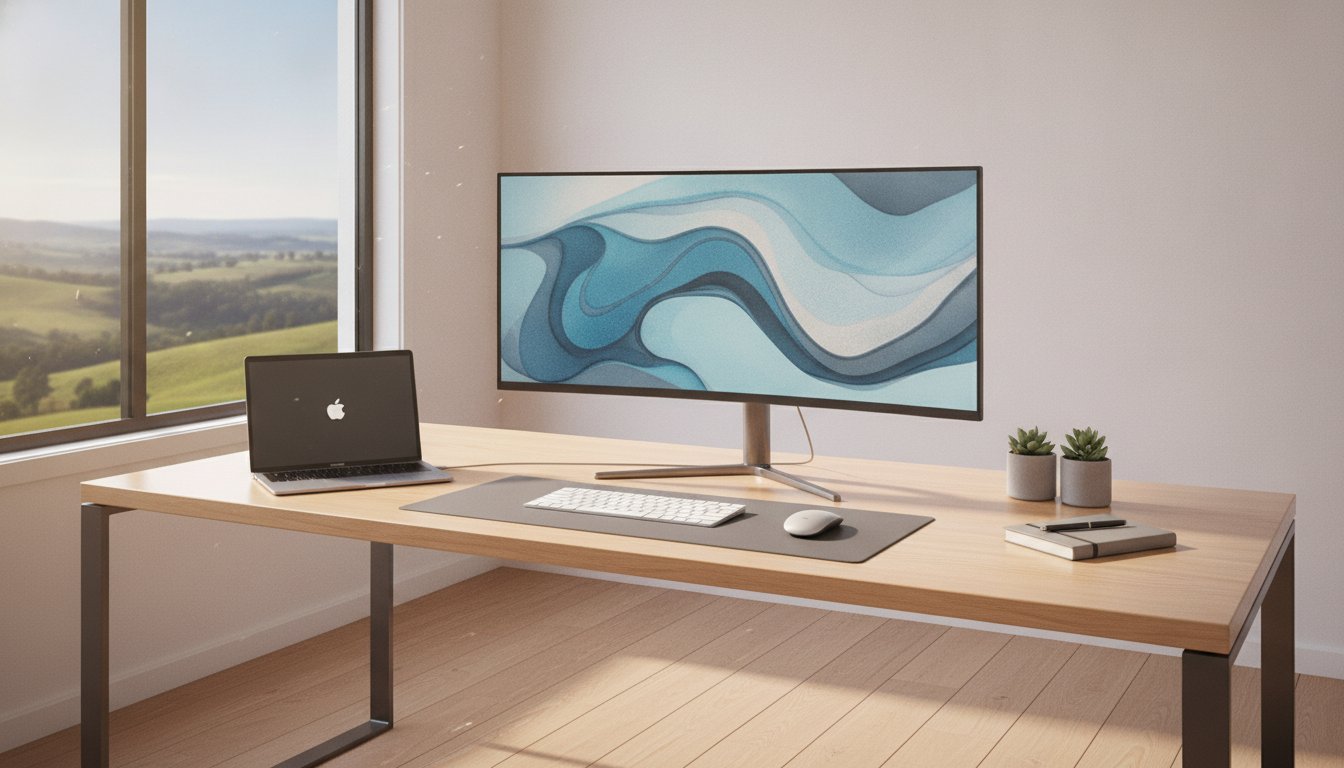
Imagine walking into your new office in Rangeville or Middle Ridge, pressing the power button, and having every system respond instantly. For many local owners, the reality of a new business computer setup in Toowoomba is often more stressful, involving messy cables, confusing NBN configurations, and the constant fear of losing important files. You need to focus on your clients, not on troubleshooting hardware or worrying if your data is vulnerable to a 2026 cyber attack.
We agree that technology should support your goals rather than create more work. With cybercrime costing Australian businesses over A$33 billion recently, a professional foundation isn’t just a luxury; it’s a necessity for survival. This guide will show you exactly how to achieve a seamless, turnkey office setup that protects your livelihood. You’ll discover the essential hardware for 2026, the truth about local network speeds, and the security steps that block 99% of automated threats. It’s time to build a reliable workspace with the help of a local expert who knows the Darling Downs business community.
Key Takeaways
- Learn why business-grade hardware like SSDs and high-speed RAM are the non-negotiable standards for maintaining productivity in 2026.
- Discover how to safeguard your livelihood with automated data backups and security protocols designed to block the majority of automated cyber threats.
- Follow a practical 5-step checklist to ensure your business computer setup Toowoomba is physically ergonomic and technically optimized from day one.
- Understand the long-term value of choosing a local Newtown-based expert with over 25 years of experience over anonymous, remote call centres.
What is a Professional Business Computer Setup?
A professional business computer setup is much more than just unboxing a new PC and connecting it to the internet. It is a comprehensive ecosystem that combines high-performance hardware, licensed software, and robust security protocols. Many owners believe that if a computer turns on, it’s ready for work. However, the difference between a “working” computer and a “business-ready” system is the difference between constant frustration and seamless productivity.
When you invest in a business computer setup Toowoomba professionals can rely on, you’re building a foundation that accounts for local infrastructure. This includes optimizing your connection to the NBN and ensuring your local network is configured correctly to handle the specific speeds available in the Darling Downs. Poor configuration is the leading cause of downtime, often resulting in slow file access or dropped connections that stall your workflow. A local expert ensures your system fits your specific office environment from day one.
To better understand how a professional approach changes the experience, watch this helpful video:
Home Office vs. Small Business IT Needs
It’s tempting to grab a consumer-grade laptop on sale at a local retailer, but these devices often lack the durability required for heavy business workloads. Business-grade hardware features better cooling systems, sturdier chassis, and components designed for longevity. Beyond the device itself, a professional setup involves understanding what is a computer network to ensure your printer, scanner, and secondary devices communicate without errors. For more details on maintaining these systems, see our IT support for business guide.
Why 2026 Standards Require More Than Just ‘Plugging In’
By 2026, the shift toward cloud-first workflows and hybrid work in the Darling Downs has become the standard for almost every industry. Simply “plugging in” a computer doesn’t address the complex security requirements now mandatory for QLD business compliance. You need a system that handles multi-factor authentication and encrypted cloud storage from the first boot. Investing in professional hardware upgrades during the initial setup ensures your machine can handle the heavy processing demands of modern software without the dreaded spinning wheel.
Choosing the Right Hardware for Your Toowoomba Office
Selecting the right components is the most critical stage of your business computer setup Toowoomba. By 2026, the Solid State Drive (SSD) has become the absolute minimum requirement for any professional workstation. Traditional hard drives are simply too slow for modern operating systems and cloud-integrated software. An SSD ensures your computer boots in seconds and applications open instantly. This speed directly impacts your bottom line by reducing idle time during the workday.
Multitasking requires a balance of processing power and memory. We recommend a minimum of 16GB of RAM for standard office work to prevent the frustrating “spinning wheel” when switching between browser tabs and accounting software. When choosing a processor, look for current-generation chips that can handle background security tasks without slowing down your primary work. Implementing cybersecurity best practices starts at the hardware level with processors that support advanced encryption and secure boot features.
Sourcing your gear from a local supplier in Newtown offers advantages that big-box retailers can’t match. You aren’t just buying a box; you’re securing a relationship with someone who understands the local business climate. If a component fails, you don’t have to ship it to a capital city and wait weeks for a replacement. A local expert can swap parts or provide a loaner machine to keep your business running.
Desktop vs. Laptop: Which Suits Your Workflow?
If your work takes you across the Lockyer Valley to meet clients, a high-performance laptop is essential. However, many Toowoomba pros find that a “Docking Station” setup provides the perfect compromise. You get the portability of a laptop for site visits and the dual-monitor efficiency of a desktop once you return to the office. This dual-screen configuration significantly increases productivity by allowing you to view reference documents and active tasks simultaneously without constantly switching windows.
Printer and Peripheral Integration
Your office isn’t functional until your peripherals work reliably. We focus on integrating brands like Canon, Epson, and Samsung because they offer the best driver stability for modern Windows environments. Setting up a wireless printer that actually works every time requires proper network addressing and configuration. For more specific help on hardware selection, you can view our guide on printer supply and repair. If you’re unsure which model fits your daily volume, chatting with a local technician can save you from buying a machine that costs a fortune in ongoing ink expenses.
The Modern Foundation: Software, Security, and Cloud
Once your hardware is on the desk, the next phase of a professional business computer setup Toowoomba involves building a digital fortress. In 2026, software configuration is where most businesses either succeed or struggle. We don’t just install Windows 11; we perform a deep “tune-up” to remove pre-installed bloatware that often slows down new systems. This optimization ensures your high-performance SSD and RAM deliver the actual speed you expect from a professional workstation.
Cybersecurity is the primary concern for any modern office. With cybercrime costing Australian businesses over A$33 billion in the last reporting cycle, your setup must be proactive from the first boot. We align our security protocols with the Essential Eight cybersecurity framework, which serves as the official Australian baseline for digital protection. This approach moves beyond simple antivirus software to create a multi-layered defense that guards your intellectual property and client data.
Cloud integration is the final piece of the modern foundation. Whether you are working from your office in Newtown or checking files while on a trip to Brisbane, your data must be accessible and secure. We configure your cloud environment so that Rangeville home offices and main commercial hubs stay perfectly synced. This mobility allows you to manage your business from anywhere in the Darling Downs without sacrificing security.
Proactive Cyber Security for Small Business
The reactive “break-fix” model is no longer sufficient for 2026 standards. Modern security requires moving beyond basic tools to comprehensive virus and malware removal and prevention strategies. A key part of this is implementing multi-factor authentication (MFA). Research indicates that MFA can block over 99% of automated account takeover attacks. We also help you set up professional password managers to ensure your team isn’t using weak, repetitive passwords for sensitive financial accounts.
Data Continuity and Recovery Planning
Hardware can fail and ransomware can strike even the best-prepared businesses. This is why the “3-2-1” backup rule is essential for every Toowoomba home office. This strategy involves having three copies of your data, on two different media types, with one copy stored securely off-site. We automate this process so you never have to remember to manually backup your files at the end of a long day. While our data recovery services are available if the worst happens, our priority is ensuring your data is always recoverable through proactive planning.

Your 5-Step Business Computer Setup Checklist
Following a structured process ensures your new technology actually serves your business goals. A random approach to installation leads to cable clutter, security gaps, and unexpected crashes. This checklist provides a methodical way to handle your business computer setup Toowoomba so you can get back to work without the tech-induced headaches.
- Step 1: Physical Installation and Ergonomic Placement. Position your monitor at eye level to prevent neck strain. Arrange cables using ties or trays to avoid trip hazards and protect your ports from accidental damage.
- Step 2: Operating System Optimization and User Profile Setup. Configure Windows 11 to prioritize performance. Create separate user accounts for different staff members to ensure data privacy and accountability.
- Step 3: Network and NBN Speed Optimization. Connect your primary workstation via an Ethernet cable rather than relying solely on Wi-Fi. This ensures your business computer setup Toowoomba utilizes the full bandwidth available in your specific suburb.
- Step 4: Security Layering and Automated Backup Configuration. Install your endpoint protection and activate multi-factor authentication. Set your automated backup software to run during lunch breaks or after hours so it doesn’t slow down your active work.
- Step 5: Peripheral Testing. Print a test page from your Canon or Epson machine. Scan a document to the cloud and test your VoIP headset to ensure your communication lines are clear before your first client call.
If this list feels overwhelming or you simply don’t have the time to troubleshoot every step, you can book your professional on-site setup with our team to ensure everything is perfect from day one.
Optimizing Your Toowoomba NBN Connection
Your Wi-Fi signal is often the weakest link in your office productivity. Thick walls in older Toowoomba buildings can significantly degrade signal strength, leading to dropped video calls and slow file uploads. By hardwiring your essential devices, you gain 99.9% reliability and much lower latency. We recommend testing your connection using local servers to ensure your speeds meet 2026 business demands, especially if you rely on heavy cloud-based accounting or design software.
On-Site vs. Remote Setup: What’s Best?
While remote support is excellent for software updates and minor tweaks, a physical “health check” is superior for new hardware. An on-site technician visiting your office in Wilsonton or Middle Ridge can identify environmental issues that remote support might miss, such as poor ventilation or faulty power points. This face-to-face service builds a reliable foundation for your hardware and gives you peace of mind that a local expert has personally verified every connection.
Why Local Support Matters for Toowoomba Businesses
When your technology stops working, the distance between you and your technician suddenly feels very important. A call centre in Sydney or an overseas helpdesk can’t offer the same level of care as someone who lives and works in your community. Choosing a local professional for your business computer setup Toowoomba ensures that you have a real person to call when things don’t go as planned. This personal accountability is what builds trust over decades, transforming a simple service into a reliable partnership. Local knowledge means your technician understands the specific NBN challenges in the Darling Downs and the unique needs of regional enterprises.
Aspire Computing has served the Toowoomba community since 1999. With over 25 years of experience, we’ve seen every iteration of office technology and every quirk of local infrastructure. We understand how the environment affects regional connections and how businesses in the Lockyer Valley operate. This local expertise significantly reduces the anxiety often associated with technical failures. You aren’t just another ticket number in a queue; you’re a neighbour whose livelihood depends on a functional workstation. Knowing that help is just a few suburbs away in Newtown provides a level of operational stability that remote providers simply cannot match.
Personalized Service from a Local Expert
Our approach is built on a calm and professional methodology. We know that IT issues are stressful, so we focus on providing clear, jargon-free explanations that put you back in control. By working directly with the owner, you benefit from a deep professional biography and a long history of helping local businesses grow through smart tech choices. Whether your office is in Rangeville or Wilsonton, you receive a service tailored to your specific layout and workflow. We prioritize your security and functional utility, ensuring your systems are robust enough to handle the demands of 2026.
Getting Started with Aspire Computing
Ready to build a more resilient office? Our team specializes in the complete business computer setup Toowoomba owners trust to keep their operations running smoothly. You can book an on-site assessment where we evaluate your current hardware and networking needs to create a customized plan. Our base at Brigalow St, Newtown, makes it easy for us to reach any suburb in the city quickly for urgent support. If you’re dealing with existing issues while planning your new office, our expertise in computer repairs Toowoomba ensures your legacy systems remain stable during the transition. We provide the convenience of on-site support combined with the reliability of a long-standing local institution.
Build Your Resilient Professional Office Today
Setting up a professional workspace is an investment in your future productivity. We’ve seen that a successful business computer setup Toowoomba relies on the synergy between high-performance hardware and a secure, cloud-ready digital foundation. By following a structured checklist and prioritizing business-grade reliability over consumer-grade shortcuts, you eliminate the risks of data loss and frustrating downtime.
Aspire Computing has been a trusted part of the Toowoomba community since 1999. We offer specialized on-site support from our Newtown base to the surrounding suburbs, bringing a wealth of expertise in hardware supply and modern cyber security. You don’t have to navigate the complexities of 2026 technology alone when a local expert is just a phone call away.
It’s time to stop worrying about your tech and start focusing on your growth. Book Your Professional Business Setup in Toowoomba today to ensure your office is fast, secure, and fully optimized. Your new, reliable workstation is ready to help you succeed.
Frequently Asked Questions
Do you provide on-site business computer setup in Toowoomba suburbs?
Yes, we provide comprehensive on-site business computer setup Toowoomba wide, including suburbs like Rangeville, Wilsonton, and Middle Ridge. Our technicians travel across the Darling Downs and Lockyer Valley to ensure your hardware is physically installed and networked correctly in your specific office environment. This on-site presence allows us to troubleshoot local NBN issues and ensure your printers and peripherals are working perfectly before we finish the job.
Can you help move my data from an old PC to a new business setup?
We certainly can. Data migration is a core part of our service, ensuring your emails, documents, and financial records move safely from your old machine to the new one. We use secure transfer methods to prevent data loss and verify that all your files are accessible in their new locations. This process removes the anxiety of starting from scratch and keeps your business running without interruption.
What is the best computer for a home office in 2026?
For 2026, the best home office computer is a business-grade machine featuring at least 16GB of RAM and a high-speed NVMe SSD. While consumer models are often cheaper, business-grade laptops and desktops offer better cooling and durability for long workdays. We recommend current-generation processors that support advanced security features like multi-factor authentication and encrypted cloud storage to meet modern compliance standards.
Do I need a special server for a small business with 5 employees?
Most small businesses with five employees no longer require a physical on-site server. Cloud-based platforms like Microsoft 365 provide the file sharing and security you need without the high maintenance costs of local server hardware. However, if you work with very large video files or specialized databases, a Network Attached Storage (NAS) device might be a practical addition to your office.
How long does a professional business computer setup typically take?
A professional business computer setup Toowoomba typically takes between two and four hours per workstation. This duration covers the full process from unboxing and physical placement to software optimization and security configuration. If you have significant amounts of data to transfer from an old PC, the time may increase slightly. We work methodically to ensure your office is fully operational with zero loose ends by the time we leave.
Can you set up my business email and cloud storage along with the hardware?
Yes, we provide a complete turnkey solution that includes configuring your professional business email and cloud storage accounts. We ensure your email is synchronized across all your devices and that your cloud folders are mapped correctly for easy access. This integration includes setting up automated backups and security layers to protect your digital identity from the moment you start working.
What happens if my new system has issues after you leave?
We provide ongoing local support to ensure your system remains stable long after the initial installation. If you experience any technical glitches, we can often resolve them quickly through remote IT support. For more complex hardware issues, we can return to your site in Toowoomba to perform hands-on troubleshooting. Our goal is to provide peace of mind through personal accountability and reliable follow-up care.
Is it worth upgrading my old office PCs with SSDs instead of buying new ones?
It is often very cost-effective to perform hardware upgrades on machines that are only three or four years old. Swapping a traditional hard drive for a modern SSD can make an older PC feel twice as fast and significantly extend its useful life. We can assess your current fleet to determine if an upgrade or a full replacement offers the best value for your specific business needs.

B.App.Sc., Cert. Computer Engineering PC Service and Repair
As the owner of Aspire Computing founded in 1999, Chaim Lee has been working for over 20 years as the Leading Computer Technician.
He has a life long interest in electronics, computing, science and technology. He has completed studies and gained qualifications in Applied Science, Computer Repair and Service, Microsoft Installation and Maintenance, Technical Writing, Workplace Training, and Technical Sales Training.