
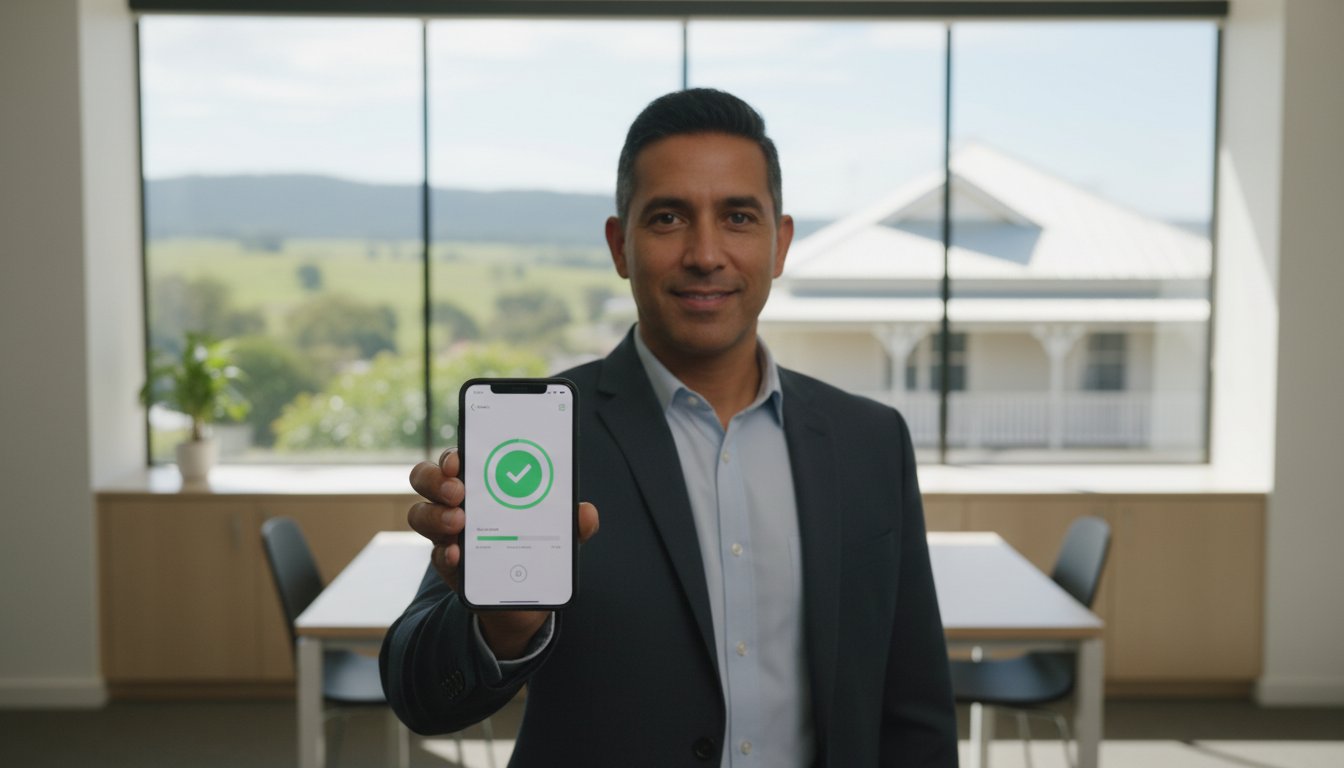
Did you know that 60% of small businesses that suffer a cyberattack go out of business within just six months? It is a sobering thought for any local business owner. You might feel your company is too small to be a target, but 43% of all cyberattacks are now directed at small operations. Implementing multi-factor authentication for small business is no longer a luxury. It is a vital shield for your digital assets and your reputation.
We understand that adding another step to your login process can feel frustrating, especially when you don’t have a dedicated IT department to handle the technical details. You just want things to work without the constant fear of a data breach. The good news is that you can protect your business from 99% of bulk cyberattacks using simple, cost-effective strategies. This guide will show you how to secure your accounts, comply with the 2026 Privacy Act revisions, and satisfy insurance requirements without breaking your daily workflow. We will look at affordable tools like Duo Essentials and free options that provide the peace of mind you deserve.
Key Takeaways
- Understand how multi-factor authentication for small business acts as a digital deadbolt, blocking the vast majority of automated cyber threats targeting regional companies.
- Learn to identify the most cost-effective MFA tools for 2026, from free authenticator apps to budget-friendly solutions like Duo Essentials.
- See why meeting the ACSC ‘Essential Eight’ requirements is now a critical step for insurance compliance and business continuity in the Darling Downs.
- Get a simple framework for auditing your business accounts and rolling out a stress-free security policy that your team will actually follow.
- Discover the benefits of a personalized security audit to ensure your systems are both protected and connected without any technical downtime.
What is Multi-Factor Authentication (MFA) for Small Business?
At its heart, What is Multi-Factor Authentication? It’s a security system that asks for at least two different forms of proof before letting you into an account. Think of it like using a local ATM here in Toowoomba. To get your cash, you need something you have (your physical bank card) and something you know (your PIN). If a thief steals your card, they can’t get your money without the code. If they guess your PIN, they still need the physical card. This layered approach is the foundation of multi-factor authentication for small business security.
By 2026, relying on a password alone is like leaving your office front door unlocked. Cybercriminals now use AI-driven tools to crack common passwords in seconds. Research shows that human error causes 95% of cybersecurity incidents. Since we all occasionally reuse passwords or fall for clever phishing emails, we need a safety net. MFA provides that net. It ensures that even if a password is stolen, your business data stays protected and your operations continue without a hitch.
To better understand how these layers work together to keep you safe, watch this helpful video:
You might hear people use the terms 2FA and MFA interchangeably. While they’re similar, they aren’t exactly the same. Two-factor authentication (2FA) is a subset of MFA that specifically requires two pieces of evidence. Multi-factor authentication is a broader term that can involve two, three, or even more layers. For most small offices, two strong factors are enough to stop the vast majority of automated attacks. At Aspire Computing, we focus on finding the right balance between high security and daily convenience for your team.
The Three Pillars of Authentication
Security experts group these “proofs” into three main categories. First is something you know, like a password or a secret answer. Second is something you have, which could be a physical security key or a smartphone. Third is something you are, which uses biometrics like your fingerprint or facial recognition. A strong multi-factor authentication for small business setup usually combines elements from at least two of these pillars to create a robust defense.
MFA vs. Two-Step Verification
Not all extra steps are created equal. You’ve likely used Two-Step Verification (2SV) where a website sends a code to your phone via SMS. While this is better than just a password, it has a significant security gap. Hackers can sometimes intercept text messages through “SIM swapping.” This is why modern authenticator apps or biometrics are now the gold standard for Toowoomba offices. They’re faster to use and much harder for criminals to bypass, giving you true peace of mind.
Choosing the Best MFA Methods for Your Team
Selecting the right multi-factor authentication for small business isn’t just about finding the tightest security. It’s about finding a system your team will actually use without daily frustration. If a login process is too clunky, staff might find ways to bypass it, which leaves your data vulnerable. You also need to consider your budget. As of early 2026, Duo Essentials is a popular choice at $3 per user per month, while Okta Starter begins at $6 per user per month. For very small teams, Google Authenticator is free, and Twilio Authy offers a free tier for up to 100 authentications per month.
A common hurdle for many owners is the “personal phone” debate. Some employees are hesitant to install work-related apps on their private devices. You can solve this by providing physical security keys, such as YubiKeys, for high-risk accounts or those without company phones. These small USB devices offer top-tier protection without requiring a smartphone at all. If you’re feeling stuck on which hardware fits your specific setup, we can provide personalized security advice to keep your office running smoothly.
Authenticator Apps and Push Notifications
Most Toowoomba businesses find that authenticator apps like those from Microsoft or Google offer the best balance of speed and safety. Instead of typing in a six-digit code every time, your team can simply tap “Approve” on a push notification. It’s fast and reduces the headache of complex logins. According to CISA’s guide to MFA, these apps are significantly more secure than SMS codes, which can be intercepted by clever hackers. Just make sure to store backup codes in a secure physical location so no one is locked out if they lose their device.
Biometrics and Windows Hello
Facial recognition and fingerprint scans are no longer just for high-tech corporations. Windows Hello allows your staff to log into office laptops with a quick glance or touch. It’s incredibly secure because the biometric data stays on the local device; it isn’t stored on a central server where it could be leaked. Our team at Aspire Computing can configure your existing hardware to support these features. This makes your morning start-up process seamless while keeping your business continuity intact.
Securing Shared Office Hardware
Many people forget that shared equipment can be a security hole. Printers and scanners often hold sensitive documents in their memory, making them a potential target for data theft. You can apply MFA concepts here by requiring an RFID card or a quick PIN before a print job is released. If you need help integrating security with your office equipment, check out our guide on Printer Supply and Repair. It’s a simple way to ensure that sensitive client data doesn’t sit in an open tray for anyone to see.
Why Toowoomba Small Businesses Need MFA in 2026
Living in Toowoomba, we often feel sheltered from the big-city problems of Brisbane or Sydney. However, cybercriminals don’t see borders. They see opportunity. In 2026, targeted phishing attacks in regional Queensland have become more sophisticated, often mimicking local suppliers or government agencies. This is why multi-factor authentication for small business is no longer just a ‘nice to have’ feature. It is the frontline defense for your livelihood. Since 43% of all cyberattacks now target small operations, being ‘off the radar’ is a myth we can’t afford to believe anymore.
The Australian Cyber Security Centre (ACSC) lists MFA as a top priority in its ‘Essential Eight’ mitigation strategies. These are the baseline steps every Australian organization should take to stay safe. Following this NIST guidance on MFA for small business ensures you aren’t just ticking a box; you’re building a resilient foundation. Beyond security, having these controls in place is now a requirement for most cyber insurance policies. By demonstrating strong security, you can often secure lower premiums and ensure your coverage remains valid. This proactive approach is a core part of maintaining your Business Continuity.
Preventing the Cost of a Breach
The financial impact of a security failure is staggering. For a business with fewer than 500 employees, the average cost of a data breach is now $3.31 million. This includes legal fees, lost productivity, and the price of notifying affected customers. When you compare the small monthly cost of an MFA subscription to the expense of professional Data Recovery Services, the choice is clear. It’s much easier to prevent an entry than to piece together a shattered database. Plus, in a tight-knit community like the Darling Downs, your reputation is your most valuable asset. One public data leak can undo years of trust built with local clients.
Compliance and Legal Obligations
The legal landscape is shifting rapidly. With the Privacy Act 1988 undergoing major revisions across 2026 and 2027, more small businesses are being brought under strict federal oversight. Under the Notifiable Data Breaches (NDB) scheme, you’re legally required to report certain breaches to both the government and your customers. For healthcare and legal professionals in Toowoomba, the requirements are even more stringent. Implementing multi-factor authentication for small business helps you meet these obligations before they become a legal headache. It shows your clients that you take their privacy as seriously as they do.
A Step-by-Step MFA Implementation Guide
Setting up multi-factor authentication for small business doesn’t have to be a weekend-long headache. The secret is to start small and scale up. Instead of forcing every staff member to change their habits overnight, we recommend a “Pilot Group” approach. Choose one department, perhaps your finance or management team, to test the new login process first. This helps you identify any workflow bottlenecks before a full company-wide rollout. It’s much easier to fix a small issue for three people than a major one for thirty.
Before you begin, perform a quick audit of your digital footprint. List every account that holds sensitive client data, employee records, or financial information. This usually includes your email, accounting software, and cloud storage like OneDrive or Dropbox. Once you’ve identified these “high-value” targets, you can begin the technical setup in structured phases. This methodical rhythm ensures you don’t miss a critical account while keeping your team’s frustration to a minimum.
Phase 1: Securing the Keys to the Kingdom
Your first priority should be Microsoft 365, Google Workspace, and accounting platforms like Xero or Reckon. These are the primary targets for 2026 phishing campaigns. Most of these services have a central admin console where you can enable MFA for all users with just a few clicks. However, it’s vital to ensure your devices are healthy before you start. Ensuring your Virus and Malware Removal is up to date is a critical first step. You don’t want to implement strong authentication on a computer that’s already compromised by hidden tracking software.
Phase 2: Training and Onboarding Staff
The biggest hurdle to security is often “tech-fear.” You can alleviate this by running a quick 15-minute demo for your team. Show them how the “Push to Approve” notification works on their phone and explain why it’s so much safer than a standard password. It’s also helpful to provide a simple “What to do if you lose your phone” cheat sheet. This prevents panic and keeps your office running smoothly if a device goes missing. By drafting a simple “Acceptable Use” policy, you set clear expectations for the whole team without feeling like the “IT police.”
If the thought of auditing your entire network feels overwhelming, don’t panic. Our team can handle the heavy lifting for you. Contact Aspire Computing today to book a security audit and let us help you protect and connect your business with confidence.
How Aspire Computing Protects and Connects Your Business
Implementing multi-factor authentication for small business shouldn’t feel like a solo mountain climb. While the technical steps are clear, every office has its own unique quirks and challenges. That’s where we come in. Chaim Lee and the Aspire team provide personalised security audits that look beyond just software. We look at your entire workflow to ensure that adding security doesn’t slow down your productivity. We believe that technology should serve you, not the other way around.
Our team provides hands-on, on-site setup throughout Toowoomba, Newtown, and the wider Darling Downs region. We don’t just send you a link to a manual; we show up at your door to make sure every device is configured correctly. If your current office PCs are struggling to keep up with modern security requirements, we can integrate your MFA rollout with necessary Hardware Upgrades. This ensures your systems are fast, reliable, and ready for the security demands of 2026.
The Aspire Assurance: Local Expertise Since 1999
Choosing a local partner means you aren’t just another ticket number in a faceless call centre. We’ve been helping Toowoomba businesses since 1999, building a reputation for being thorough, professional, and incredibly helpful. Our “Aspire to Protect and Connect” philosophy is about more than just fixing broken parts. It’s about ensuring your business continuity so you can focus on your clients without worrying about the next data breach. When you work with us, you get a custom security roadmap designed specifically for your team’s needs.
We also provide ongoing remote support for those moments when things don’t go exactly as planned. If an employee gets locked out or a new device needs syncing, we’re just a phone call away. This level of personal accountability is what sets us apart from larger, anonymous IT providers. We’re part of your community, and we take your security personally.
Ready to Secure Your Business?
Multi-factor authentication is the single best investment you can make for your business security this year. It’s a simple, cost-effective way to block 99% of bulk cyberattacks and satisfy the increasingly strict requirements of insurance providers and the Privacy Act. You’ve worked hard to build your business; don’t let a single stolen password take it all away. Don’t panic, we can help you through every step of the process.
Your peace of mind is our priority. If you’re ready to move toward a more secure and efficient office environment, let’s have a chat about your needs. Talk to the experts at Aspire Computing today and discover how easy professional multi-factor authentication for small business can be.
Secure Your Business Future in the Darling Downs
Protecting your livelihood in 2026 requires more than just a strong password. You’ve learned that simple tools like authenticator apps and physical security keys can block nearly all automated cyberattacks. By following the ACSC Essential Eight and preparing for the latest Privacy Act revisions, you aren’t just following rules; you’re ensuring your business can thrive without the threat of a devastating data breach. It’s about building a foundation of trust with your local clients and meeting the high standards of modern cyber insurance providers.
Implementing multi-factor authentication for small business is the most effective step you can take toward total peace of mind. Chaim Lee and the team at Aspire Computing have been serving the Toowoomba community since 1999. We specialise in small business IT security and offer expert advice tailored to your specific office setup. Whether you need a full security audit or help configuring new hardware, we’re here to ensure your technology is both protected and connected.
Secure your Toowoomba business with a professional MFA setup from Aspire Computing. Don’t let tech-fear hold you back. We can handle the technical details so you can focus on what you do best.
Frequently Asked Questions
Is multi-factor authentication really necessary for a very small business?
Yes, it is essential. Small businesses are often seen as easier targets by cybercriminals because they usually have fewer security layers than large corporations. By 2026, the updated Australian Privacy Act expects even small operations to have robust protections in place. Implementing multi-factor authentication for small business stops most automated attacks before they can access your client data. It’s a small step that provides massive protection for your reputation and daily continuity.
What happens if an employee loses their MFA device or phone?
Don’t panic if a device goes missing. As the administrator, you can use backup codes or security overrides to regain access to the account for your staff member. Once you’re back in, you can simply unpair the lost device and set up a new one to keep the account secure. We recommend keeping a physical copy of your master backup codes in a secure office safe. This ensures that a lost phone is just a minor inconvenience rather than a permanent lockout.
Does MFA protect my business from all types of cyberattacks?
While MFA is incredibly effective, it isn’t a silver bullet. It blocks 99% of bulk cyberattacks, but your business still needs other layers like virus removal and professional data backups. Some advanced threats, like session hijacking or sophisticated social engineering, can still pose a risk to your network. Think of it as a high-quality deadbolt on your office front door. It stops most intruders, but you still need to keep your windows closed and your alarm system active.
Will MFA slow down my staff and reduce productivity?
Modern MFA is designed to be as seamless as possible for busy teams. Using “Push to Approve” notifications on a smartphone takes only a few seconds and requires no typing. Most systems also allow you to “remember” a trusted office device for a set period, so your team won’t need to authenticate every single time they log in. It actually improves productivity by preventing the massive downtime and stress that follows a successful data breach or account takeover.
Can I use MFA on my old office computers and printers?
Most modern cloud services support MFA regardless of the age of your computer. However, for older hardware, you might need a few upgrades to ensure compatibility with biometric features like Windows Hello or fingerprint scanning. Shared office printers can also be secured using PIN codes or RFID cards for better document privacy. If your current equipment is struggling to keep up, we can help with hardware assessments to ensure your security software runs smoothly without causing system lag.
What is the cheapest way to implement MFA for my team?
The most budget-friendly method is using free authenticator apps like Google Authenticator or Microsoft Authenticator. These don’t have monthly subscription fees and work on almost any smartphone. For teams that need a bit more flexibility, Twilio Authy offers a free tier for up to 100 authentications per month. These options provide excellent security without any upfront costs. It’s a simple way to protect your business accounts while keeping your monthly overheads low and manageable.
Is SMS or an Authenticator App better for my small business?
Authenticator apps are much more secure than SMS codes for daily business use. SMS messages can be intercepted through “SIM swapping,” where a criminal tricks a mobile provider into moving your number to their device. Apps generate codes locally or use encrypted push notifications, which are much harder for hackers to bypass. They also work without a mobile signal as long as you have the app installed, making them more reliable for offices with patchy reception.
How do I set up MFA for my Microsoft 365 or Google Workspace accounts?
You can enable multi-factor authentication for small business accounts directly through your provider’s admin console. For Microsoft 365, you’ll find these options in the “Security Defaults” or “Conditional Access” settings. In Google Workspace, it’s found under the “Security” tab in the Admin console. The process usually involves turning on the feature and then guiding your staff through a one-time setup on their phones. If the process feels too technical, our team can handle the entire configuration for you.

B.App.Sc., Cert. Computer Engineering PC Service and Repair
As the owner of Aspire Computing founded in 1999, Chaim Lee has been working for over 20 years as the Leading Computer Technician.
He has a life long interest in electronics, computing, science and technology. He has completed studies and gained qualifications in Applied Science, Computer Repair and Service, Microsoft Installation and Maintenance, Technical Writing, Workplace Training, and Technical Sales Training.
