
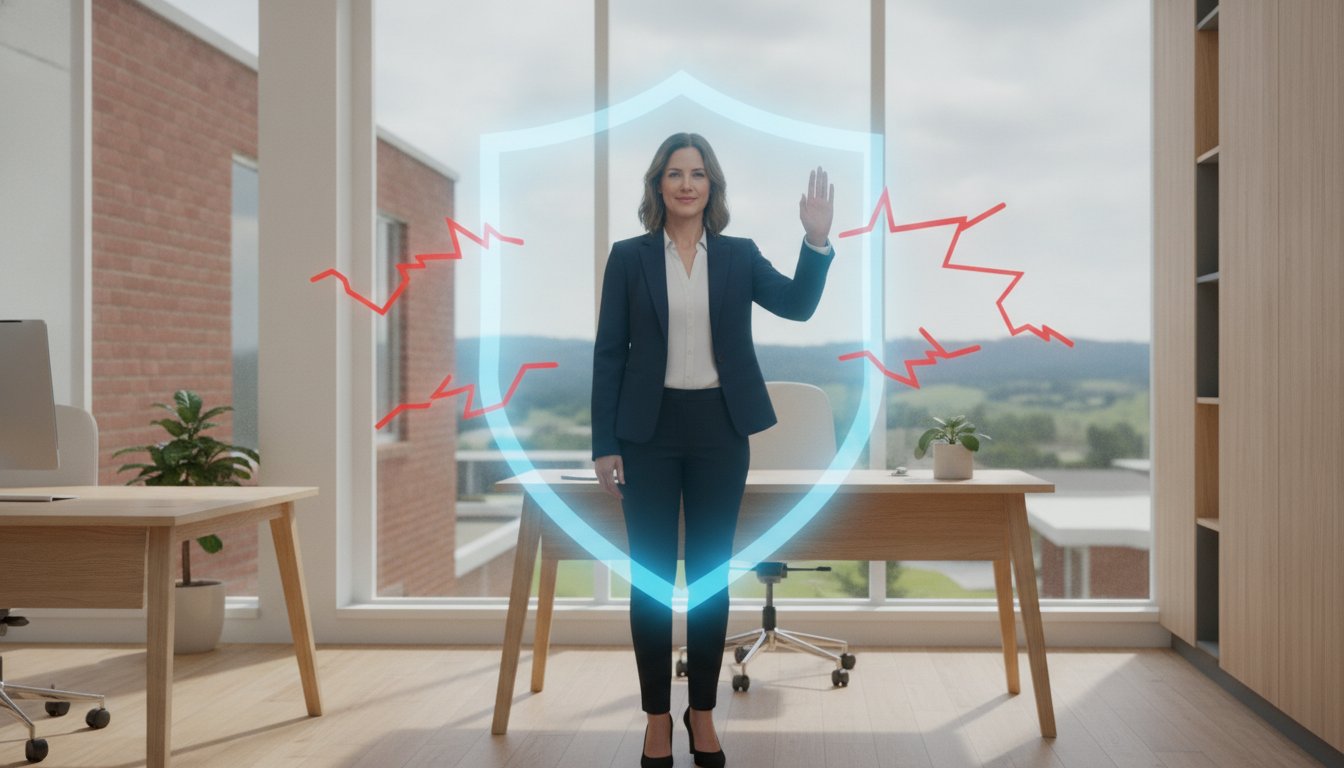
Did you know that 89% of ransomware victims in Australia are small-to-medium enterprises? It is a sobering thought for any local business owner, especially when you consider that a cybercrime is reported every six minutes across the country. I understand the anxiety that comes with these headlines. You want to protect your customer data, but you’re likely tired of confusing software pitches and worried about the costs of a dedicated IT team. Effective ransomware prevention for small business shouldn’t be a source of stress; it should be a source of confidence.
I am here to help you secure your Toowoomba small business with practical, local IT expertise that actually makes sense for your budget. In this guide, we will break down the latest 2026 Australian cyber defence updates, including the shift from the Essential Eight to the new “Essentials series” framework. You will get a clear prevention checklist and a better understanding of how to keep your files recoverable. By the time you’re finished reading, you’ll have a straightforward plan to protect your livelihood and gain much-needed peace of mind.
In this 2026 guide, you will learn:
- Why small businesses are often viewed as “soft targets” and how ransomware acts as a digital hostage situation for your data.
- The most effective strategies for ransomware prevention for small business using the new Australian “Essentials series” framework.
- How to implement the 3-2-1-1 backup rule to ensure your files are redundant, off-site, and completely immutable.
- Ways to build a “human firewall” by training your staff and fostering a no-blame culture for reporting suspicious activity.
- The benefits of local Toowoomba IT support, including on-site audits that identify physical security gaps software might miss.
Understanding the Ransomware Threat to Toowoomba Small Businesses in 2026
Ransomware is essentially a digital hostage situation for your business data. Imagine arriving at your office in Toowoomba, turning on your computer, and finding every file encrypted and inaccessible. A message on the screen demands a payment to get your keys back. For many local owners, this is the first time they truly consider the importance of Understanding the Ransomware Threat. In 2026, ransomware prevention for small business is no longer just an IT checkbox; it’s a vital part of staying operational.
Cybercriminals now use AI-driven phishing and automated scanning to find vulnerabilities 24 hours a day. They don’t just target big city corporations anymore. They look for “soft targets” where they believe defences are weaker or outdated. Because small businesses often have limited budgets for dedicated IT staff, they become attractive targets for automated attacks that can bypass simple, unmanaged security software.
To better understand this concept, watch this helpful video:
Why Regional Queensland Businesses are Targets
We’ve seen a noticeable shift toward targeting regional hubs like the Darling Downs. Attackers exploit local trust by spoofing the names of well known local businesses or suppliers in their emails. It’s easy to click a link when it looks like it’s coming from a familiar face in town. At its core, ransomware is the encryption of your files for payment, and these criminals are getting better at making their scams look legitimate. They know that regional businesses often rely on close-knit professional networks, and they use that familiarity to slip past your guard.
The Real Cost of a Ransomware Attack
The financial impact goes far beyond the ransom itself. In fact, the downtime usually costs much more than the demand. You have to account for lost productivity, damage to your reputation, and the technical recovery fees needed to get back on your feet. With a cybercrime reported every six minutes in Australia, the risk is real and constant. If you’re looking for ransomware prevention for small business, you need to consider these hidden costs.
There are also serious legal implications to consider. Under the Cyber Security Act 2024, businesses with an annual turnover of $3 million or more must report ransom payments to the Australian Signals Directorate within strict timeframes. Failing to do so can lead to significant penalties. Australian authorities never recommend paying the ransom. There’s no guarantee you’ll get your data back, and it often marks your business as a repeat target for future attacks.
The Essential Eight: A Framework for Australian Cyber Defence
Building a strong defence doesn’t mean you need to be a technical genius. In Australia, the gold standard for security is The Essential Eight framework. Although this model is currently evolving into the new “Essentials series,” it remains the most reliable baseline for protection. For most Toowoomba business owners, focusing on the “Top 4” strategies provides the highest return on investment. Effective ransomware prevention for small business is about creating a layered defence. One tool might fail, but several layers working together make it much harder for a hacker to succeed.
Think of your security like a physical shopfront. You have a perimeter fence, a locked door, and a safe inside. If a criminal gets through the fence, the door stops them. If they get through the door, the safe protects the cash. Digital security works the same way. By implementing these government-recommended steps, you significantly reduce your risk of becoming a statistic.
Multi-Factor Authentication (MFA) and Access Control
MFA is one of the most powerful tools in your arsenal. It’s a simple concept: something you know (your password) plus something you have (a physical key or a code on your phone). Even if a hacker steals your password through a phishing email, they can’t get into your account without that second factor. Research shows that MFA blocks 99.9% of automated account compromise attacks. It’s a non-negotiable step for any business that wants to stay safe.
Check your settings and ensure MFA is enabled on these critical services:
- Business Email: This is the gateway to your entire digital life.
- Online Banking: Protect your cash flow and payroll data.
- Remote Access: Any tool used to log in from home or on the road.
You should also practice the principle of “Least Privilege.” This means giving staff members only the access they need to perform their specific roles. A receptionist likely doesn’t need administrative access to the accounting software, and a sales rep doesn’t need to change system settings. Limiting access reduces the “blast radius” if an account is ever compromised.
Application Whitelisting and Patching
Application whitelisting is a proactive way to stop malicious software. Instead of trying to block every bad program, you create a list of approved software. If a program isn’t on that list, it simply won’t run. This stops ransomware in its tracks before it can even start encrypting your files. It’s a highly effective way to manage cyber security without needing to monitor your systems every second of the day.
Patching is equally vital. Software companies regularly find security holes in their programs and release “patches” to fix them. If you don’t update Windows or your third-party apps, those holes remain open for hackers to walk through. While many businesses rely on a dedicated managed service provider like Uptime Co. to handle these updates, if you are managing it yourself, I recommend setting a monthly “Update Day.” Take an hour to ensure every device in your office is running the latest version of its software. It’s a small time investment that prevents massive headaches later.
Backup vs. Business Continuity: Protecting Your Critical Data
Many business owners believe that having a backup is the end of their security journey. However, there is a major difference between simply having a copy of your files and having a plan for business continuity. A backup is just a static copy of data stored somewhere else. Business continuity is your actual ability to keep working after a disaster. If your server fails and it takes four days to download your files from a slow cloud connection, your business is effectively closed for those four days. High quality ransomware prevention for small business focuses on how quickly you can get back to work, not just where your data is sitting.
Modern best practices have evolved to the 3-2-1-1 rule. This strategy suggests keeping three total copies of your data on two different types of storage media. One of these copies must be off-site, and the final “1” represents an immutable backup. Immutable backups are stored in a way that they cannot be altered or deleted, even by the most sophisticated ransomware. This ensures that even if a hacker gains administrative access to your network, they cannot wipe out your safety net. It’s a vital layer in any strategy for ransomware prevention for small business.
You must also be wary of “always-on” backup methods. If you leave a USB hard drive permanently plugged into your computer, it’s just as vulnerable as your main system. Ransomware is designed to scan for connected drives and network shares to encrypt them simultaneously. If your backup drive is visible to the virus, it will be locked alongside your original files. I always recommend a “gap” in your backup system where at least one copy is physically or logically disconnected from the network.
The 3-2-1 Backup Strategy for Small Offices
A practical approach for a small office involves a mix of automated cloud storage and offline physical drives. You might use a service that syncs your data to the cloud every hour while also performing a daily backup to an external drive that you rotate and take home. While I provide professional Data Recovery Services as a safety net, it’s much better to never need them. You should also test your backups at least once a month. A backup that hasn’t been tested is just a wish; you need to know for certain that your files can be opened and used when you need them most.
Recovery Time Objectives (RTO)
I often ask my clients a simple question: “How many days could your business survive without its computers?” Your answer determines your Recovery Time Objective. RTO is the targeted duration of time to restore a business process after a failure. If your RTO is four hours, you need a different solution than if your RTO is two days. Professional system imaging allows us to restore your entire computer environment quickly, rather than manually copying thousands of individual files one by one. This streamlined process is what turns a simple backup into a true business continuity plan.

Building a Human Firewall: Staff Training and Awareness
Even the most expensive security software can’t stop every threat if a staff member accidentally opens the door. Most ransomware attacks start with a single click on a malicious link or attachment. This is why building a “human firewall” is just as important as your technical setup. Your team members are your first line of defence, but they need the right training to recognize when something isn’t right. Ransomware prevention for small business is a team effort that requires everyone to stay alert and informed.
I always recommend fostering a “no-blame” culture in your office. If an employee thinks they’ve clicked a suspicious link, they shouldn’t be afraid to speak up immediately. In a cyber incident, every second counts. If I can get to a machine within minutes of an infection, I have a much better chance of isolating the threat before it spreads across your entire network. If staff are too scared of getting into trouble, they might stay silent, giving the ransomware more time to encrypt your data and backups.
You can keep security top of mind by including a brief “Security Minute” in your regular staff meetings. It doesn’t have to be a long lecture. Just share one quick tip or a recent example of a scam you’ve seen. Common red flags to discuss include:
- Sense of Urgency: Emails that demand you “act now” to avoid an account closure or legal action.
- Strange URLs: Web addresses that look almost right but have slight misspellings or unusual extensions.
- Unusual Requests: A “manager” asking for gift cards or an unexpected change in bank details for payroll.
Spotting Modern Phishing Scams
Scammers in 2026 are highly sophisticated. They often use platforms like LinkedIn to research your business and craft very convincing, personalized emails. They might mention a recent project or use the name of a real local supplier to gain trust. One of the best habits to teach your team is the “hover over” technique. Before clicking any link, hover your mouse over it to see the actual destination URL in the corner of your browser. If the address doesn’t match the sender, don’t click it. You can learn more about identifying specific scams in Australia to keep your team one step ahead.
Password Hygiene and Management
Reusing passwords is a major security risk. If an employee uses the same password for their personal social media and their business email, a leak at one company can compromise your entire business. Business-grade password managers are a great solution. They allow staff to use unique, complex passwords for every account without having to remember them all. By mid-2026, we are also seeing a major shift toward passkeys. These are much more secure than traditional passwords because they rely on biometrics or physical security keys, making them nearly impossible to steal through standard phishing techniques.
If you aren’t sure where to start with staff training, I can help. I offer personalized Cyber security reviews for Toowoomba businesses to ensure your “human firewall” is as strong as your digital one.
Implementing Professional Ransomware Prevention with Aspire Computing
After reviewing the frameworks and technical steps required to secure your data, the task might feel overwhelming. You don’t have to handle these complex cyber threats on your own. Aspire Computing serves as your dedicated local partner, providing tailored ransomware prevention for small business that fits your specific needs and budget. I focus on practical, common-sense solutions that keep your operations running smoothly without the confusing corporate jargon often found in enterprise security guides.
A professional IT support for business plan is about more than just fixing things when they break; it’s about preventing the break from happening in the first place. By staying proactive, we can identify and close security holes before a hacker finds them. This long-term approach saves you money and protects the reputation you’ve worked so hard to build in our community.
Why Local Toowoomba IT Support Matters
When a technical crisis hits, you need someone who can be there in person, not just a voice on a helpdesk halfway across the world. I have been supporting the local community since 1999, providing reliable assistance to businesses across Newtown, the Darling Downs, and the Lockyer Valley. This long history means I understand the unique challenges regional Queensland owners face, from internet connectivity issues to the importance of local professional networks.
Speed is critical during a suspected breach. Having a local expert who can arrive on-site to isolate infected machines can be the difference between a minor hiccup and a total data loss. This personal accountability is a hallmark of my service. You’ll always know exactly who is handling your data and who to call when you have a question. This level of convenient, on-site support is something larger, anonymous providers simply can’t match.
Get Started with a Security Audit
Most small businesses have hidden gaps in their digital and physical security that they aren’t even aware of. A comprehensive security health check involves more than just looking at your antivirus software. We examine your backup routines, verify your firewall settings, and check for physical risks like unsecured hardware or outdated router firmware. If your computer has been running slowly or you’re worried about your current protection levels, I recommend starting with a Windows tune-up and security check.
This simple first step helps us identify immediate vulnerabilities and optimize your system for better performance. My goal is to provide you with total peace of mind, knowing that your files are recoverable and your business is resilient against the evolving threats of 2026. You deserve to focus on growing your business, not worrying about digital hostages.
Protect your Toowoomba business with a professional IT audit today and secure your digital future.
Take Control of Your Digital Security Today
Securing your business against modern threats doesn’t have to be a solo mission. By implementing a layered defence through the Essential Eight and prioritising true business continuity with immutable backups, you’ve already taken the most important steps toward safety. Remember that your team is your first line of defence; a well trained staff can stop an attack before it even starts. Effective ransomware prevention for small business is about combining these smart habits with reliable technical support.
I have been serving the Toowoomba and Darling Downs region since 1999, providing the personalised on-site and remote IT support you need to stay operational. Whether you require expertise in Data Recovery and Malware Removal or a complete security audit, I am here to help. You don’t have to navigate these evolving 2026 regulations alone. My goal is to reduce your anxiety and ensure your files are always protected and recoverable.
Secure Your Business with a Toowoomba IT Expert
Protecting your livelihood is a journey, and with the right local partner, it’s one you can take with complete confidence. Stay proactive, stay informed, and let’s keep your business secure together.
Frequently Asked Questions
What is the first thing I should do if I suspect a ransomware attack?
Disconnect the affected computer from your network and the internet immediately. This prevents the ransomware from spreading to other devices or your server. Once isolated, turn the machine off and call a professional for assistance. Do not try to delete files or run scans yourself, as this can sometimes trigger more encryption or destroy evidence needed for recovery.
Can my basic antivirus software stop all ransomware?
No, basic antivirus software cannot stop all threats. While it provides a necessary foundation, modern ransomware often uses “zero-day” exploits that haven’t been catalogued yet. You need a layered approach to ransomware prevention for small business that includes endpoint detection and response (EDR) tools. These tools look for suspicious behavior rather than just matching known virus signatures, offering much better protection against evolving 2026 threats.
How often should a small business back up its data?
You should back up your data at least once every 24 hours. For businesses with high transaction volumes, real-time or hourly backups are often necessary. The frequency depends on how much data you can afford to lose between your last backup and the moment an attack occurs. Always ensure at least one copy is stored offline to prevent it from being encrypted during a network-wide infection.
Is it worth getting cyber insurance for a very small business?
Cyber insurance is highly recommended, as the average cost per report for Australian businesses reached $80,850 in the 2024-25 financial year. However, insurers now have strict requirements. Most will only offer coverage or better premiums if you can prove you meet specific maturity levels of the Essential Eight framework. It is a financial safety net, but it is not a replacement for active cyber security measures. For organizations that need to demonstrate even higher levels of maturity, such as SaaS providers, secompass.com provides expert guidance on strategic assessments like SOC 2.
What is the “Essential Eight” and do I need all of it?
The Essential Eight is a set of strategies developed by the Australian Signals Directorate to protect against cyber attacks. While you should aim to implement all eight, small businesses should prioritise the “Top 4” to get the most protection quickly. These include application whitelisting, patching applications, patching operating systems, and restricting administrative privileges. Following this framework is the most effective way to build resilience.
How do I know if my employees are following cyber security best practices?
Regular security audits and phishing simulations are the most effective ways to measure compliance. These tests show you exactly who might click a dangerous link in a controlled environment. Beyond testing, check if staff are using the business password manager and if MFA is active on all accounts. A culture where employees feel comfortable reporting mistakes is your best indicator of a healthy security environment.
Do I need to upgrade my hardware to prevent ransomware?
You don’t always need new hardware, but your devices must be capable of running the latest, supported operating systems. If your PC is too old to run Windows 11 or receive security updates, it is a major liability. Upgrading your router to a model that supports modern encryption standards like WPA3 is also a smart move. Modern hardware often includes built-in security features that make ransomware prevention for small business much easier.
Can ransomware infect my cloud storage like OneDrive or Dropbox?
Yes, ransomware can absolutely infect cloud storage through the synchronisation process. If your local files are encrypted, the cloud service will see that as a change and “sync” those encrypted files to your online account. While services like OneDrive have version history that allows you to roll back changes, this should not be your only backup. A dedicated, immutable backup remains the only way to guarantee your data stays safe.

B.App.Sc., Cert. Computer Engineering PC Service and Repair
As the owner of Aspire Computing founded in 1999, Chaim Lee has been working for over 20 years as the Leading Computer Technician.
He has a life long interest in electronics, computing, science and technology. He has completed studies and gained qualifications in Applied Science, Computer Repair and Service, Microsoft Installation and Maintenance, Technical Writing, Workplace Training, and Technical Sales Training.

Write a Comment