
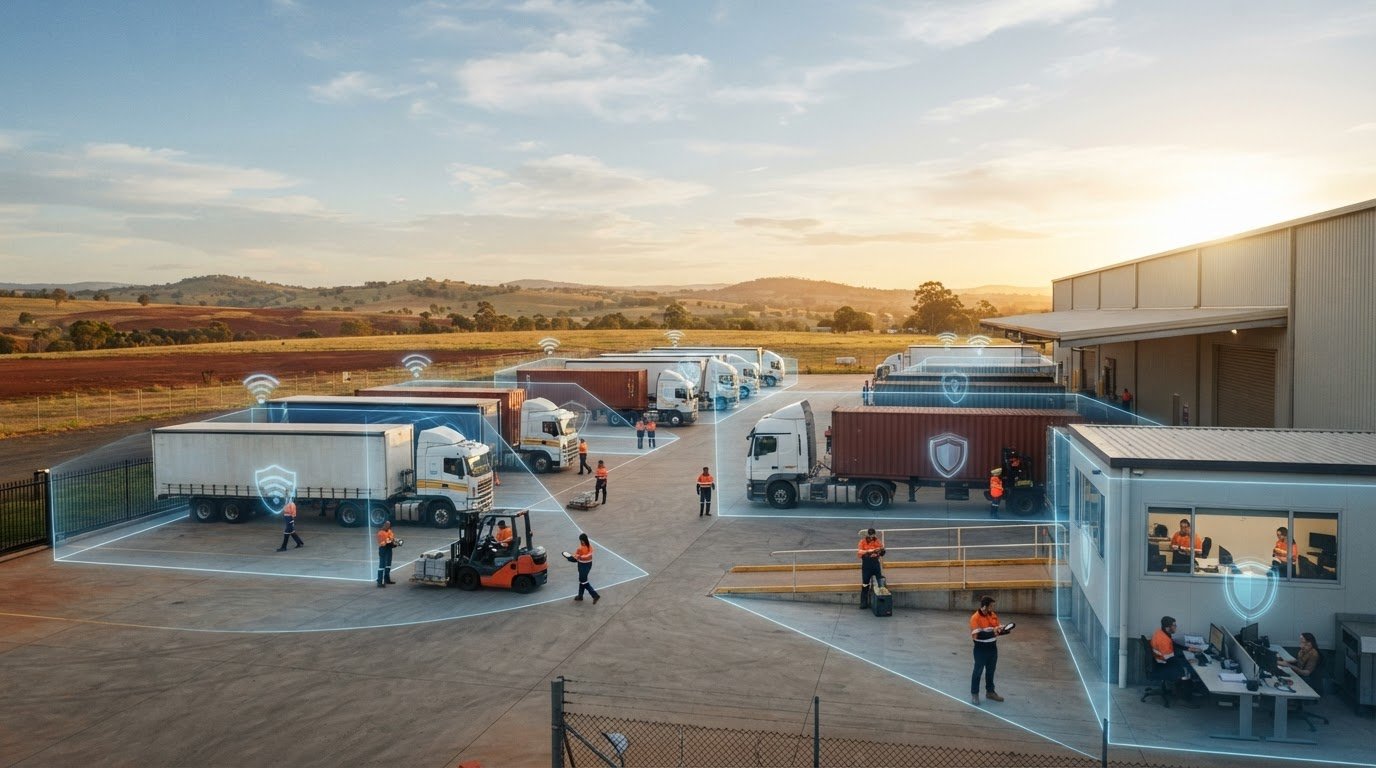
The transport sector accounted for 26% of all cyber incidents targeting Australian critical infrastructure in the ASD’s 2025 threat report. For regional logistics operators, generic corporate cloud policies rarely survive the dust, metal sheds, and rapid pace of an active loading dock. Getting your network security for transport depots Toowoomba right isn’t about chasing theoretical corporate IT models. It’s about keeping your physical freight moving safely without surprise interruptions.
You already know how quickly a single technical glitch cascades across the yard. Forklift scanners dropping connection behind shipping containers, dispatch computers freezing during morning runs, or the lingering fear of ransomware locking delivery manifests can halt a depot in minutes. You shouldn’t have to choose between meeting national cybersecurity expectations and maintaining practical yard productivity.
You can fortify your Toowoomba freight depot network against operational disruptions, ransomware, and yard connectivity breaches on a sensible budget. Here is a clear, straightforward 2026 checklist tailored specifically to Darling Downs logistics hubs to help you secure client manifests, stabilize yard Wi-Fi, and protect continuous dispatch operations.
Key Takeaways
- Isolate rugged yard Wi-Fi, telematics docks, and forklift scanners from administration systems to prevent minor hardware flaws from threatening office files.
- Establish robust network security for transport depots Toowoomba operators can rely on to safeguard electronic manifests, consignment notes, and billing records from ransomware.
- Apply practical, government-recommended cybersecurity controls step by step without overcomplicating depot workflows or exceeding realistic operational budgets.
- Set up automated data backup and business continuity systems so your dispatch team can restore critical schedules within minutes of an unexpected outage.
- Rely on local Darling Downs technical support for fast on-site dispatch when severed yard cables, faulty network equipment, or dock computer failures halt truck movements.
Depot Network Security Checklist: The 2026 Baseline for Toowoomba Transport Hubs
Freight depots along the Warrego Highway face unique operational challenges that typical office setups never encounter. Charlton distribution centres and Wellcamp logistics parks run around the clock, moving thousands of tonnes of freight across regional Queensland. In these active hubs, office accounting networks connect directly to dusty yard peripherals, gate access scanners, and industrial weighbridges. Establishing reliable network security for transport depots Toowoomba operators can trust means safeguarding both digital files and physical throughput.
A structured security audit stops small technical vulnerabilities from escalating into costly turnaround delays or hefty regulatory fines. Reviewing your baseline controls ensures your trucks roll out on schedule without compromising manifest integrity. To better understand how modern freight networks address digital threats, watch this helpful overview:
The Essential Physical and Perimeter Security Audit
Yard security starts at the physical layer. Walk through your depot and check the following physical entry points:
- Communications cabinets: Keep data racks in driver reception areas and workshop walls locked behind physical keys.
- Surveillance hardware: Isolate yard CCTV cameras onto dedicated subnets to stop unauthorised feeds or tampering.
- Open Ethernet ports: Deactivate wall jacks in shared driver lounges, loading docks, and fuel bays so visitors cannot plug rogue hardware directly into your local network.
Administrative and Account Access Controls
Controlling who logs into your systems prevents unapproved software changes and accidental data exposure. Require multi-factor authentication across all cloud portals, fleet dispatch tools, and billing software. Lock down administrative rights on loading dock terminals so warehouse staff cannot inadvertently install malicious files. When subcontract drivers or seasonal depot hands move on, revoke their network logins immediately to keep credentials secure.
Automated Software and Firmware Patch Management
Unpatched network hardware creates an open door for automated intrusion tools. Foundational cybersecurity controls depend on updating operating systems, dispatch consoles, and firewall filters regularly. Inspect embedded firmware on exterior wireless access points, yard directional antennae, and rugged industrial switches mounted inside steel sheds. For professional maintenance that keeps your infrastructure stable, speak with our local team about dedicated IT support for business.
Securing Depot Operations: Protecting Yard Wi-Fi, Telematics, and Office Workstations
A transport yard operates as an intricate hybrid of rough industrial gear and sensitive administration computers. Handheld barcoding units on forklifts, driver check-in tablets, gatehouse consoles, and accounting PCs all share the same broader environment. If these diverse devices sit on a single flat network, a compromised scanning gun gives attackers a direct path into your private business accounts. Establishing solid network security for transport depots Toowoomba operations require means enforcing strict digital boundaries between your loading bays and dispatch desks.
Network segmentation isolates vulnerable yard endpoints so an issue on the tarmac never spreads indoors. Applying foundational strategies aligned with the Essential Eight Cybersecurity Controls ensures your freight stays protected while loaders work unimpeded.
Isolating Yard Wi-Fi and Freight Scanning Terminals
Wireless signals easily bleed beyond perimeter fences, giving passersby or visiting contractors potential access. Secure your loading areas using these core adjustments:
- Segment wireless traffic: Assign forklift barcode scanners and rugged handhelds to an isolated Virtual Local Area Network (VLAN).
- Separate visiting devices: Route visiting interstate truckies and subcontractors to a restricted guest Wi-Fi subnet with no visibility into internal depot systems.
- Upgrade encryption: Run WPA3 enterprise encryption across all loading dock access points to block wireless eavesdropping.
Hardening Weighbridge Terminals and Telematics Docks
Gatehouse computers and weighbridge stations often run unattended during shift handovers. Restrict general web browsing on these terminals so staff cannot access personal email or download untrusted files. Similarly, lock down telematics docking cradles by disabling auto-run features for external storage drives. If a workstation shows unexpected pop-ups or erratic behaviour, engage prompt virus and malware removal before reconnecting it to your dispatch hub.
Maintaining Resilient Dispatch Hardware
Black soil dust blowing across Charlton and Wellcamp industrial precincts poses a severe threat to computer hardware. Fine grit builds up inside power supply units and cooling fans, causing dispatch computers to overheat and freeze during peak departure times. Clean cooling vents regularly and inspect servers for thermal stress. If older workstations struggle to process large manifest databases, plan strategic hardware upgrades to keep operations running smoothly.
If you suspect an unsegmented yard network or aging hardware is slowing down your dock flow, consider having a local expert from Aspire Computing review your depot configuration.
Defending Freight and Logistics Data Against Ransomware and Phishing
Transport operations run on razor-thin schedules where even an hour of administrative downtime cascades into missed interstate connections. Cyber criminals understand this urgency completely. By deploying ransomware that encrypts delivery manifests, proof-of-delivery receipts, and client databases, extortionists attempt to force immediate payouts. When trucks cannot legally depart without accurate documentation, an attack halts the entire yard. Strengthening network security for transport depots Toowoomba operators oversee protects your cashflow from malicious interference.
Practical defense combines robust local safeguards with continuous employee awareness. Following global best practices for securing depot operations ensures transport businesses stay ahead of evolving supply chain threats.
Identifying Transport-Specific Phishing and Invoice Fraud
Modern attacks rarely involve obvious spam. Instead, bad actors infiltrate vendor email threads to intercept legitimate bills of lading and alter banking details right before payments process. Guard your revenue using these operational safeguards:
- Verify account changes by voice: Never accept banking modifications via email alone. Have accounting staff call the trusted phone number on file to confirm any revised payment instructions.
- Scrutinise manifest files: Train dispatchers to treat unexpected attachments with caution, particularly macro-enabled spreadsheets or zip archives disguised as delivery updates.
- Implement dual authorisation: Require two distinct approvals before releasing substantial funds to subcontractors or fuel suppliers.
Implementing Immutable Data Backup Architecture
Clean, uncorrupted backups represent your most reliable insurance policy against ransomware extortion. Follow the 3-2-1 backup principle by keeping three copies of critical dispatch data across two different media formats, with one securely offsite. Most importantly, ensure local backup hard drives disconnect from the primary network once daily syncs finish. If hardware fails or local storage suffers logical corruption during an intrusion attempt, professional data recovery services can retrieve vital operating databases.
Rapid Incident Response for Fleet Continuity
Every transport manager needs an actionable plan for when digital tools drop offline unexpectedly. Keep laminated paper consignment sheets and manual gate logs accessible so staff can dispatch essential freight without delay. If a computer shows signs of ransomware, immediately unplug its Ethernet cable and disconnect it from Wi-Fi to stop malware spreading to nearby terminals. Test your system recovery process regularly so your team can restore files quickly and reliably.

Implementing Essential Eight Cybersecurity Controls in Darling Downs Transport Yards
The Australian Cyber Security Centre outlines the Essential Eight framework as the country’s benchmark mitigation strategy. While corporate consultancies often frame these rules as complex, expensive overhauls, transport operators can achieve massive risk reduction through sensible, incremental steps. Managing network security for transport depots Toowoomba facilities operate doesn’t require enterprise-level budgets. It requires prioritising the specific controls that stop malicious intrusions before they halt your trucks.
Focusing on high-impact safeguards protects freight scheduling and customer records without frustrating your dispatchers. Here is how to apply these standards directly to regional depot operations across eight practical steps.
Application Control and Restricting Malicious Scripts
Preventing unapproved code from running on office systems removes an attacker’s primary entry method. Put these controls in place across your front counters and back offices:
- Step 1: Application whitelisting: Configure dispatch PCs to block unapproved executable files, stopping rogue software from launching.
- Step 2: Disable Office macros: Block macros on billing computers so staff cannot accidentally trigger embedded exploit code from supplier attachments.
- Step 3: Restrict browser extensions: Remove unnecessary add-ons from web browsers to prevent background scripts from scraping logistics logins.
Patching Applications and Operating System Vulnerabilities
Old software versions contain known flaws that automated scanning tools look for constantly. Maintain system hygiene with these direct maintenance actions:
- Step 4: Automate critical updates: Turn on automated updates for operating systems across dispatch stations and local servers.
- Step 5: Retire obsolete tools: Replace unsupported logistics platforms that no longer receive security patches from their developers.
- Step 6: Update check-in tablets: Ensure rugged tablets mounted at yard entry points install mobile security updates automatically.
Restricting Administrative Privileges and Enforcing MFA
Protecting user credentials keeps unauthorized parties out of your core dispatch platforms. Enforce multi-factor authentication across all remote access ports, ensuring drivers and managers use an authenticator app when accessing manifests offsite (Step 7). Eliminate shared generic accounts across yard terminals so every transaction links to an accountable team member (Step 8).
Keeping industrial PCs dust-free and properly configured prevents sudden terminal breakdowns during busy dispatch hours. For dependable system maintenance and hardware servicing, turn to our local technicians for expert computer repairs Toowoomba services.
If you want to review your depot’s compliance against these standards, contact Aspire Computing today to book a tailored on-site cybersecurity review.
Choosing Local Toowoomba IT Support: Why Fast On-Site Response Matters for Depots
Every minute of depot downtime carries a tangible cost. When an unseated Ethernet cable drops a manifest printer offline or a power spike fries a gate terminal, trucks idle at the boom gate and miss their highway delivery slots. While software audits and cloud controls form half the battle, real-world network security for transport depots Toowoomba operators depend on requires practical boots on the ground. A remote technician sitting in a capital city call centre cannot climb a ladder to realign a weather-beaten antenna or replace a blown power unit.
Logistics hubs require IT support that understands the physical realities of the transport industry. Choosing a provider located within minutes of major freight corridors ensures your technical issues get solved before delivery schedules slip.
The Limitations of Remote-Only IT Helpdesks
Remote IT teams rely heavily on an active Internet connection to perform diagnostics. When your local depot switch fails or a yard line gets crushed, their visibility vanishes completely. Consider these practical shortcomings of distant helpdesks:
- Blind troubleshooting: Distant technicians cannot inspect dusty communications cabinets, check physical cable continuity, or spot frayed patch leads.
- Wasted dispatch hours: Staff spend valuable time acting as proxy technicians over the phone instead of coordinating freight.
- Delayed hardware swaps: Waiting days for a courier to deliver replacement networking gear halts depot throughput entirely.
On-Site Rapid Support Across the Darling Downs Freight Hub
Proximity changes everything during an operational crisis. Operating from Newtown, local support teams can quickly travel down Boundary Street or navigate the Toowoomba Bypass to reach logistics yards in Charlton, Wellcamp, and Torrington. Technicians arrive on-site with testing equipment, spare network switches, and replacement power supplies ready to diagnose physical issues immediately. Hands-on assistance gets rugged shop terminals, consignment printers, and label machines back online fast.
Partnering with Aspire Computing for Complete Depot Defense
Since 1999, Aspire Computing has delivered approachable, dependable IT support to businesses across the Darling Downs and Lockyer Valley. Operating from Brigalow Street in Newtown, we bring over two decades of local technical experience directly to your loading dock. We believe in direct owner accountability, ensuring you always deal with an experienced local technician who respects your delivery deadlines.
Safeguard your yard infrastructure, protect your administrative systems, and keep your freight moving without unexpected disruptions. Speak directly with Aspire Computing to schedule a comprehensive on-site network audit for your depot today.
Keep Your Freight Moving with Proven Local Depot Protection
A resilient freight yard balances physical throughput with airtight digital defense. By segmenting rugged loading dock scanners from office databases, maintaining isolated data backups, and systematically applying the Essential Eight framework, you eliminate single points of failure that threaten scheduled deliveries. Maintaining dependable network security for transport depots Toowoomba operators require doesn’t mean halting day-to-day operations for complex IT overhauls. It’s about taking practical, proven steps that safeguard your fleet, staff, and customer records.
Aspire Computing has supported Toowoomba and Darling Downs small businesses since 1999. Operating from Brigalow Street in Newtown, our local workshop provides rapid on-site dispatch alongside practical cyber security, data backup, and business continuity solutions built for regional logistics hubs. When yard equipment malfunctions or you need straightforward technical guidance, you deal directly with experienced technicians who respect your delivery deadlines.
Secure your transport depot network with Aspire Computing today, and ensure your logistics hub stays moving safely forward.
Frequently Asked Questions
Why do cyber criminals target regional transport depots in Toowoomba?
Attackers target regional freight hubs because transport schedules operate under intense time pressure. Criminals know that locking dispatch consoles, weighbridges, or billing databases can strand heavy vehicles within hours. This operational urgency makes freight operators more likely to pay ransoms quickly to restore movements. Strengthening network security for transport depots Toowoomba operators oversee removes the soft entry points that extortionists look for across regional supply chains.
Can our transport depot meet Essential Eight standards without an enterprise IT budget?
Yes, your depot can achieve practical compliance without large capital expenses. Essential Eight maturity focuses heavily on straightforward system configurations rather than costly hardware overhauls. Disabling Office macros, turning on automated operating system updates, and enforcing multi-factor authentication require minimal financial investment. Small transport businesses can work with a trusted local technician to implement these high-impact controls step by step on a realistic operational budget.
How does network segmentation protect our freight dispatch systems?
Network segmentation divides your overall depot IT infrastructure into distinct, isolated subnets. By placing yard Wi-Fi, handheld scanners, and driver check-in tablets on a separate network from office accounting, you create digital firewalls inside your facility. If a visitor connects an infected device or a forklift scanner suffers a compromise, the threat remains isolated. The malware cannot hop over to access manifest data or dispatch databases.
What should our depot staff do immediately if ransomware infects a dispatch PC?
Staff must immediately disconnect the infected machine from the network by unplugging its blue Ethernet cable and turning off Wi-Fi. Do not turn the power off or restart the PC, as this can delete volatile system memory evidence needed for analysis. Once isolated from the depot network, contact an experienced local technician right away to inspect the terminal, contain the breach, and restore clean files from an offline backup.
Why shouldn’t truck drivers and visitors connect to our primary yard Wi-Fi network?
Visiting drivers carry smartphones, personal laptops, and tablets that depot managers cannot monitor or control. If an interstate contractor connects an infected mobile phone to your operational network, background malware can scan your subnet for open shared folders. Providing an isolated guest network with bandwidth limits allows drivers to access delivery manifests or check-in portals safely without exposing your internal dispatch computers.
How often should transport depot computer hardware be physically serviced in dusty environments?
Depot terminals operating near open loading docks, unsealed yards, or heavy diesel traffic require physical cleaning every three to six months. Black soil dust and fine grit quickly clog heat sinks, cooling fans, and power supplies inside desktop towers. Routine preventive maintenance clears out accumulated dirt, prevents overheating crashes during morning departure peaks, and extends the operational lifespan of your critical office equipment.
What is the fastest way to restore depot dispatch operations after a catastrophic server crash?
The fastest recovery method relies on an immutable, verified image backup stored on a dedicated external drive. With a complete mirror of your operating system, logistics software, and client records, a technician can restore operations onto replacement hardware within hours. Maintaining an ongoing business continuity plan ensures your dispatch desk never loses days attempting to rebuild databases from scratch after unexpected hardware failures.

B.App.Sc., Cert. Computer Engineering PC Service and Repair
As the owner of Aspire Computing founded in 1999, Chaim Lee has been working for over 20 years as the Leading Computer Technician.
He has a life long interest in electronics, computing, science and technology. He has completed studies and gained qualifications in Applied Science, Computer Repair and Service, Microsoft Installation and Maintenance, Technical Writing, Workplace Training, and Technical Sales Training.

Write a Comment