
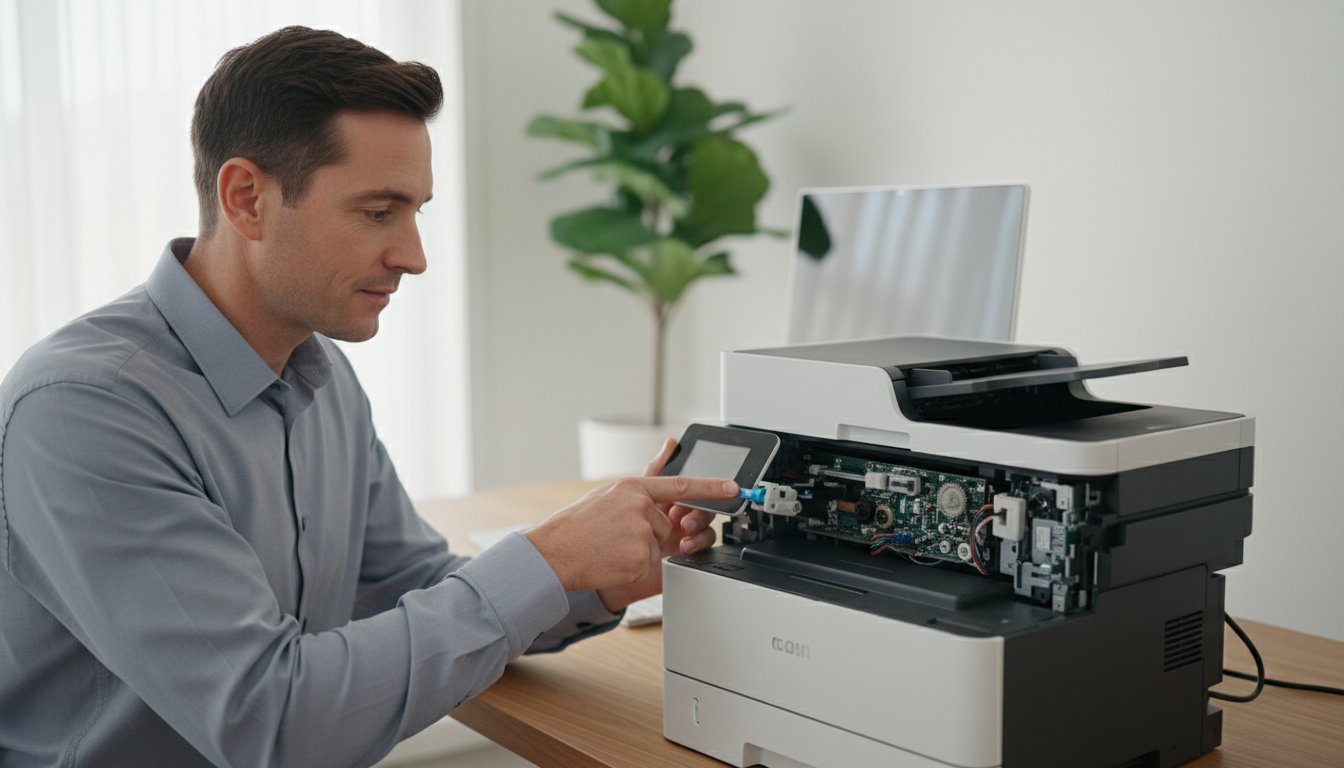
That flashing error light. The cryptic message on your screen. The stack of important documents that refuse to print. When your printer stops working, your entire day can grind to a halt. It’s a common frustration that leaves many people searching for a reliable computer printer repair solution, all while worrying about the potential cost and wasting precious time on online fixes that lead nowhere. But don’t panic-you’re in the right place to find a clear, straightforward solution.
This complete guide is designed to give you back control. We will walk you through troubleshooting the most common printer problems with simple, step-by-step instructions. You’ll learn how to decode those confusing error messages, determine if a quick fix is possible, and understand when it’s time to call in a professional. Our goal is to provide the assurance you need to get your printer working again fast and connect you with a trustworthy local expert who can solve the issue without hassle.
Key Takeaways
- Before calling for help, try our 5 quick fixes that solve many common printer issues in less than 10 minutes, potentially saving you time and money.
- Learn to decode your printer’s symptoms-from streaks and smudges to persistent paper jams-to better understand the underlying problem and explain it to a technician.
- Decide whether to repair or replace by comparing the potential cost of a professional computer printer repair with your printer’s age and long-term value.
- Find a trustworthy local technician by knowing what to look for, including transparent pricing, quick turnaround times, and a solid quality guarantee.
Before You Call: 5 Simple Printer Fixes You Can Try in 10 Minutes
There’s nothing more frustrating than a printer that refuses to print right when you need it most. It can bring your workflow to a complete halt. But don’t panic! Before you spend money on a professional computer printer repair service, there are several quick fixes you can try yourself. In fact, these simple steps solve over 50% of common printer problems and can save you significant time and money. Checking the basics first is always the best approach.
For a visual guide on some of these basic checks, this video can be a helpful starting point:
1. The ‘Turn It Off and On Again’ Superpower
It’s a classic for a reason. A full power cycle forces your printer to clear its internal memory, which can resolve temporary glitches and software errors. To do this correctly, don’t just use the power button. Unplug the printer directly from the wall socket, wait a full 60 seconds, and then plug it back in. It’s also a good idea to restart your computer, as this will clear the print queue and reset the connection from its end.
2. Check Your Connections: Wires and Wi-Fi
A loose cable or a dropped network connection is a very common culprit. Before assuming the worst, perform a quick physical check:
- For wired printers: Make sure the USB cable is firmly plugged into both the printer and the computer. Try a different USB port on your computer if the first one doesn’t work.
- For wireless printers: Verify that your printer is connected to the correct Wi-Fi network. If you’ve recently changed your password or router, you’ll need to update the printer’s settings. A quick restart of your router can often resolve network glitches.
3. Address Consumables: Ink, Toner, and Paper
Your printer might be working perfectly but is simply missing the materials it needs. It’s a simple check that can prevent an unnecessary call for computer printer repair. First, check that your ink or toner cartridges aren’t empty and are seated correctly in their slots. Then, inspect the paper tray. Ensure you’re using the right type of paper and that it’s loaded squarely to prevent misfeeds and jams.
4. Clear the Print Queue
Sometimes, a single corrupted print job can get stuck in the queue, blocking all subsequent documents from printing. Clearing this logjam is a crucial step in troubleshooting and a fundamental part of good Computer Maintenance.
- On Windows: Go to ‘Settings’ > ‘Bluetooth & devices’ > ‘Printers & scanners’. Select your printer, click ‘Open print queue’, and then cancel all documents.
- On Mac: Open ‘System Settings’ > ‘Printers & Scanners’. Select your printer, click the ‘Print Queue…’ button, and delete any stuck jobs.
If jobs won’t clear, restarting the ‘Print Spooler’ service in Windows can force a reset.
Diagnosing the Problem: Common Printer Issues and What They Mean
If the simple fixes haven’t worked, don’t worry. The next step is to identify the specific type of problem your printer is having. Most printer faults fall into a few common categories, and understanding what you’re seeing is key to finding the right solution. Let’s break down the most frequent issues and what they typically indicate.
Paper Jams and Feeding Issues
A paper jam is frustrating, but it often points to a simple cause. It could be from using the wrong type of paper, worn-out rollers that can’t grip pages anymore, or small debris blocking the paper path. When removing a jam, always turn the printer off first and gently pull the paper in the direction it normally travels to avoid tearing. If jams become a constant headache, it’s a strong sign that a component is failing and needs professional service.
Poor Print Quality: Streaks, Fading, and Smudges
The quality of your prints can tell you a lot. For inkjet printers, streaks or blank spots usually mean clogged printheads; running the built-in cleaning cycle a couple of times can often fix this. For laser printers, faded print may just mean a low toner cartridge, while smudging can point to a problem with the fuser unit. Before assuming a hardware fault, also check your printer driver settings to ensure you haven’t accidentally selected a low-quality “draft” mode.
Connectivity Problems: ‘Printer Offline’ or Unresponsive
When your printer refuses to connect, the cause can be more complex than a loose cable. This is a common issue where a deeper look is required. Intermittent connection drops can be caused by IP address conflicts on your network or a corrupted printer driver on your computer. For a detailed guide, Microsoft offers excellent resources for troubleshooting printer problems in Windows. If the issue persists, it may signal a failing network card within the printer itself.
Cryptic Error Codes and Flashing Lights
Flashing lights and error codes on your printer’s display can seem alarming, but they are designed to help. Be sure to write down the exact code or the sequence of flashing lights. These codes point to specific internal hardware or service errors. While a quick search online might identify the error, many of these codes-especially those indicating a “service required” status-are a clear sign that you need an expert in computer printer repair to safely resolve the underlying fault.
Repair or Replace? How to Decide if a Fix is Worth the Cost
You’ve tried the troubleshooting steps, and your printer is still causing headaches. Now you’re facing the big question: is it worth paying for a repair, or should you just buy a new one? There’s no single right answer, but we can help you make a smart business decision by weighing the costs, features, and long-term value. At Aspire, we believe in providing honest advice to help you find the most practical and cost-effective solution.
Consider the Printer’s Age and Type
The type of printer you own is the most significant factor. As a general rule, consumer-grade inkjet printers under A$200 are often not economical to fix if they are more than a couple of years old. In contrast, business-grade laser printers are built for durability and high volume. These machines are investments designed to last, making a professional computer printer repair a very sensible choice that extends their lifespan for years.
Calculate the Cost Comparison
Before you decide, do some quick maths. First, research the price of a comparable new printer-not just the cheapest one available. Remember to factor in the cost of a full set of new ink or toner, as the “starter” cartridges included with new printers often contain very little. Compare that total figure to the estimated repair cost. A simple fix might only be a fraction of the replacement cost, saving you significant money.
Think About Usage and Features
How critical is this specific printer to your workflow? If your business relies on specialised features like A3 printing, high-capacity trays, or advanced scanning functions, repairing your current machine is often the better path. Replacing it could mean a costly upgrade or losing features you depend on. This decision requires a careful cost-benefit analysis, a topic expertly covered in many guides on whether to Repair or Replace Your Old Office Printer. Don’t forget to consider the “hidden cost” of setting up a new device across your network.
Environmental Impact
Finally, consider the environmental impact. Discarded electronics contribute to a growing e-waste problem. Choosing to repair a quality machine is a more sustainable choice than sending it to a landfill. Opting for a computer printer repair not only saves you money but also reduces your environmental footprint, which is a responsible choice for any business.

Finding a Professional: What to Look for in a Computer Printer Repair Service
When you’ve tried all the troubleshooting steps and your printer still refuses to cooperate, it’s time to call in an expert. However, not all repair services are created equal. Choosing the wrong one can lead to more frustration, wasted time, and unnecessary costs. To protect your equipment and your budget, here’s what to look for in a quality computer printer repair service.
Local Presence and On-Site Service
When your printer fails, you need a fast solution. Choosing a local Toowoomba business means you get a quicker response time. Even better, look for a technician who offers on-site repairs. This convenience is a game-changer, as it saves you the hassle of unplugging a web of cables and transporting a bulky machine. A local expert also understands the specific needs of Toowoomba’s homes and small businesses, ensuring a more personalised service.
Experience and Expertise
Technology changes, but experience is timeless. Look for an established business with a long history of service (for example, one operating since 1999). A seasoned technician will have seen it all and can diagnose problems quickly and accurately. Ensure they service a wide range of major brands like Brother, Canon, and HP. Crucially, the best services can fix both computer and printer issues, as the root cause often lies with the PC, not the printer itself.
Transparent Process and Clear Communication
A trustworthy technician will always be upfront about the process and potential costs. Before any work begins, you should receive a clear diagnosis of the problem and an honest quote. They should explain the issue in plain English, avoiding confusing technical jargon. This transparency builds trust and ensures there are no surprises on your final bill. For an example of trusted local support, see how Aspire Computing helps our clients with a clear, straightforward process.
Reviews and Testimonials
One of the most reliable indicators of quality is the feedback from previous customers. Before committing to a service, take a moment to check their Google reviews and read testimonials from other local clients. Pay close attention to comments about:
- Professionalism and punctuality
- The speed and quality of the repair
- Fairness and transparency of pricing
Consistent positive feedback is a strong sign that you’ve found a dependable expert who can get you back to printing without delay.
Our Toowoomba-Based Repair Process: Simple, Fast, and Reliable
If you’ve worked through the troubleshooting steps and your printer still refuses to cooperate, there’s no need to panic. At Aspire Computing, we’ve refined our professional computer printer repair service to be as straightforward and stress-free as possible. We understand that technical downtime costs you time and money, so our entire focus is on getting you printing again, fast. Here’s how our simple four-step process works.
Step 1: Contact Us and Describe the Problem
The first step is simply getting in touch. You can call our Toowoomba office or fill out our quick online contact form. To help us get a head start, it’s useful to provide your printer’s make and model, along with a brief description of the issue (e.g., error codes, paper jams, or quality problems). You can expect a prompt and friendly response from our local team to schedule the next step.
Step 2: Diagnosis and Honest Quoting
We’ll perform a thorough diagnostic check to pinpoint the exact cause of the fault. Once we understand the problem, we provide a clear, upfront quote for the repair. We operate on a strict ‘no-surprise’ policy, ensuring you know the full cost before any work begins. If we determine that a repair isn’t cost-effective, we’ll give you honest advice on whether replacement is a better option.
Step 3: Professional Repair and Testing
With your approval, our experienced technicians will carry out the repair work efficiently. We only use high-quality, reliable parts to ensure our computer printer repair services deliver a lasting solution. After the physical repair is complete, we conduct comprehensive testing to verify that your printer is operating perfectly and the original issue has been completely resolved.
Step 4: Getting You Back to Business
Our final step is handing your fully functional printer back to you. We can also provide practical maintenance tips to help you prevent similar issues in the future. The goal is always to minimise your disruption and ensure business continuity. We aspire to protect your workflow and connect your technology seamlessly.
Ready for a hassle-free solution? Contact Aspire Computing today.
Expert Printer Support When You Need It Most
Navigating printer issues doesn’t have to be a frustrating experience. As we’ve explored, many common glitches can be resolved with a few simple checks at home, and understanding when to repair versus replace can save you significant time and money. The key is knowing when to call for professional help to avoid a small problem becoming a major expense.
When DIY fixes aren’t enough, you need a trusted local partner. For reliable computer printer repair, it’s essential to choose a service with a proven track record. At Aspire Computing, we have been proudly serving Toowoomba and the Darling Downs since 1999. Our technicians have deep expertise with all major PC, laptop, and printer brands, offering the convenience of both on-site and remote support to get you back to business with minimal disruption.
Don’t let a faulty printer slow you down. Need fast, local printer repair in Toowoomba? Talk to our experts today!
Frequently Asked Questions About Printer Repair
How much does it typically cost to repair a computer printer?
The cost of a computer printer repair in Australia can vary, but you can generally expect a service call-out and initial diagnosis to start from A$90 to A$150. More complex repairs requiring new parts, such as a fuser or roller kit, may cost between A$150 and A$300+. We always provide a clear quote before proceeding, ensuring you can make an informed decision. For many budget inkjet printers, replacement is often more economical than repair.
Can all brands and types of printers be repaired?
Our experienced technicians can repair most major brands, including HP, Canon, Brother, Epson, and Kyocera, whether they are inkjet, laser, or multifunction devices. However, some budget or obscure brands can be challenging due to a lack of available spare parts and service information. We can quickly assess your printer’s make and model to advise on the feasibility of a repair, providing an honest and practical recommendation for your specific situation.
How long does a typical printer repair take?
The timeframe for a computer printer repair depends on the issue. Many common problems, like software glitches, driver issues, or paper jams, can often be resolved on-site within an hour or two for a fast return to service. If a specific hardware component needs to be ordered, the repair may take several business days. We prioritise clear communication and will always keep you updated on the progress and expected completion time of your repair.
Do you offer a warranty on your printer repair services?
Absolutely. We stand behind the quality of our work with a comprehensive service warranty. All our printer repairs come with a 90-day guarantee on both the parts we install and the labour we perform. This provides you with peace of mind and assurance that the job has been done correctly by a professional. If the same issue reoccurs within the warranty period, we will resolve it promptly at no additional cost to you.
Is it better to use the manufacturer’s repair service or a local expert?
While manufacturer services are an option, a local expert often provides a faster, more convenient, and personalised solution. Sending a printer back to the manufacturer can involve lengthy shipping times and communication delays. As your local Toowoomba experts, we offer on-site service to diagnose the problem quickly. We provide direct communication and practical advice tailored to your needs, helping you get back to printing with minimal disruption to your day.
My printer is very old. Can you still get parts for it?
In many cases, yes. We have established relationships with a wide network of suppliers who stock parts for a vast range of older and even discontinued printer models. For popular brands, common components like rollers, fusers, and maintenance kits are often available for many years. Before committing to a repair, we will first verify parts availability for your specific model, ensuring we can complete the job effectively and reliably for you.

B.App.Sc., Cert. Computer Engineering PC Service and Repair
As the owner of Aspire Computing founded in 1999, Chaim Lee has been working for over 20 years as the Leading Computer Technician.
He has a life long interest in electronics, computing, science and technology. He has completed studies and gained qualifications in Applied Science, Computer Repair and Service, Microsoft Installation and Maintenance, Technical Writing, Workplace Training, and Technical Sales Training.

Write a Comment